Lenovo Legion 550Pi (RTX 2060): An Entry-Level Gaming Laptop That Actually Handles VR
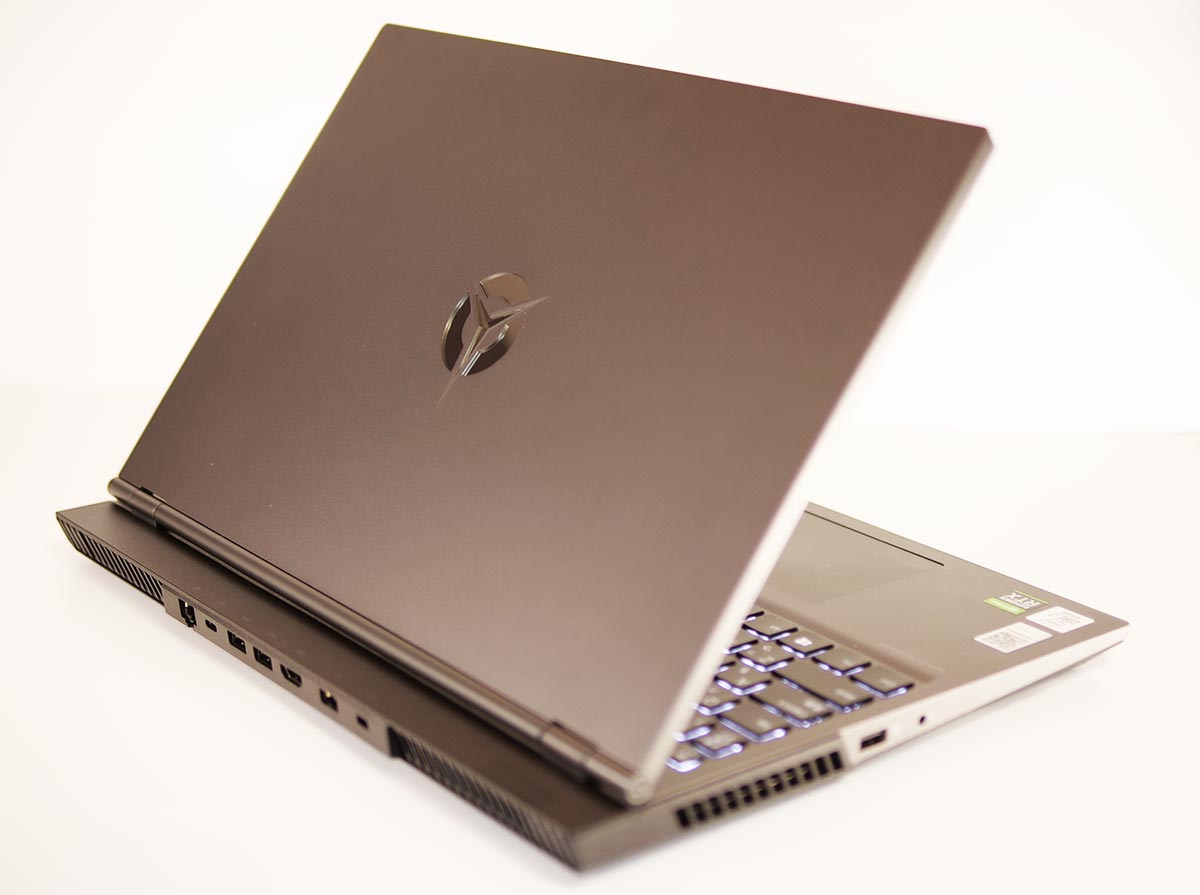
Lenovo lent me a light-duty gaming laptop, the “Lenovo Legion 550Pi."
This time I am looking at the configuration with a GeForce RTX 2060 — how much VR can this one actually handle?
- 1. The Lenovo Legion 550Pi Lineup
- 2. The Test Setup: Lenovo Legion 550Pi (RTX 2060 Model)
- 3. Design and Build
- 4. Weight and Portability
- 5. VR Performance Test Results
- 6. Overall PC Performance
- 7. Standard Benchmark Results
- 8. Power Draw and Noise
- 9. Trying Out GPU Mining
- 10. Trying Various Headsets
- 11. What I Could Not Verify
- 12. In Summary: A Legion 550Pi Configuration That Actually Handles VR
The Lenovo Legion 550Pi Lineup
The Lenovo Legion 550Pi is a gaming laptop that pairs a 10th-gen Intel Core CPU with an NVIDIA GeForce GPU.
| Lenovo Legion 550Pi | Configurations |
| CPU | Intel Core i5-10300H Intel Core i7-10750H (one or the other) |
| GPU | GeForce RTX 2060 GeForce GTX 1660 Ti GeForce GTX 1650 (one of the three) |
| Memory | 8GB or 16GB |
| Chipset | Not disclosed |
| SSD | 512GB or 1TB |
| HDD | None |
| Display | 15.6″ matte LCD 1920×1080 (Full HD) 60Hz or 144Hz |
| Interfaces | HDMI x1 USB 3.0 (Type-A) x4 USB 3.0 (Type-C) x1 Mic/headphone combo jack x1 Wired LAN |
| Networking | Wi-Fi: Wi-Fi 6 (802.11 a/b/g/n/ac/ax) Bluetooth: Bluetooth 5.0 |
| Webcam | None |
| Battery life | Roughly 10.8–11.8 hours (varies by configuration) |
| OS | Windows 10 Home 64-bit |
| Keyboard | Full-size (backlit) |
| Dimensions (W×D×H) | 2.2L (363.1 x 259.6 x 23.6mm) |
| Power adapter | 230W |
| Weight | ~2.3kg |
| Price (tax included) | From ¥91,331 (as of March 28, 2021) |
*Prices and configurations reflect the time of writing and change frequently. Please check the official site for current details.
The Lenovo Legion 550Pi runs a 10th-gen Intel CPU. Since 11th-gen Intel Core laptops were already reaching the market by this point, this is effectively a late-cycle product.
As of this writing (March 28, 2021), Lenovo’s own store carries 2 configurations, and 3 more configurations are in stock elsewhere.
The Test Setup: Lenovo Legion 550Pi (RTX 2060 Model)

Here is the spec sheet for the unit I borrowed. This is the configuration I am testing throughout this article.
| Model | Lenovo Legion 550Pi |
|---|---|
| Display | 15.6″ FHD IPS LCD (1920x1080px) |
| CPU | Intel Core i7-10750H 6 cores / 12 threads, 2.6GHz (Turbo Boost 5.0GHz) |
| GPU | NVIDIA GeForce RTX 2060 6GB GDDR6 |
| Memory | 16GB |
| SSD | 1TB (NVMe/M.2) |
| HDD | None |
| Power adapter | 230W |
| OS | Windows 10 Home 64-bit |
The Lenovo Legion 550Pi’s GPU comes from the GeForce line. The unit here carries a GeForce RTX 2060.
Design and Build
The Lid
This Lenovo Legion 550Pi (RTX 2060 model) comes in a color called “Iron Gray" — a calm, matte finish on the lid.
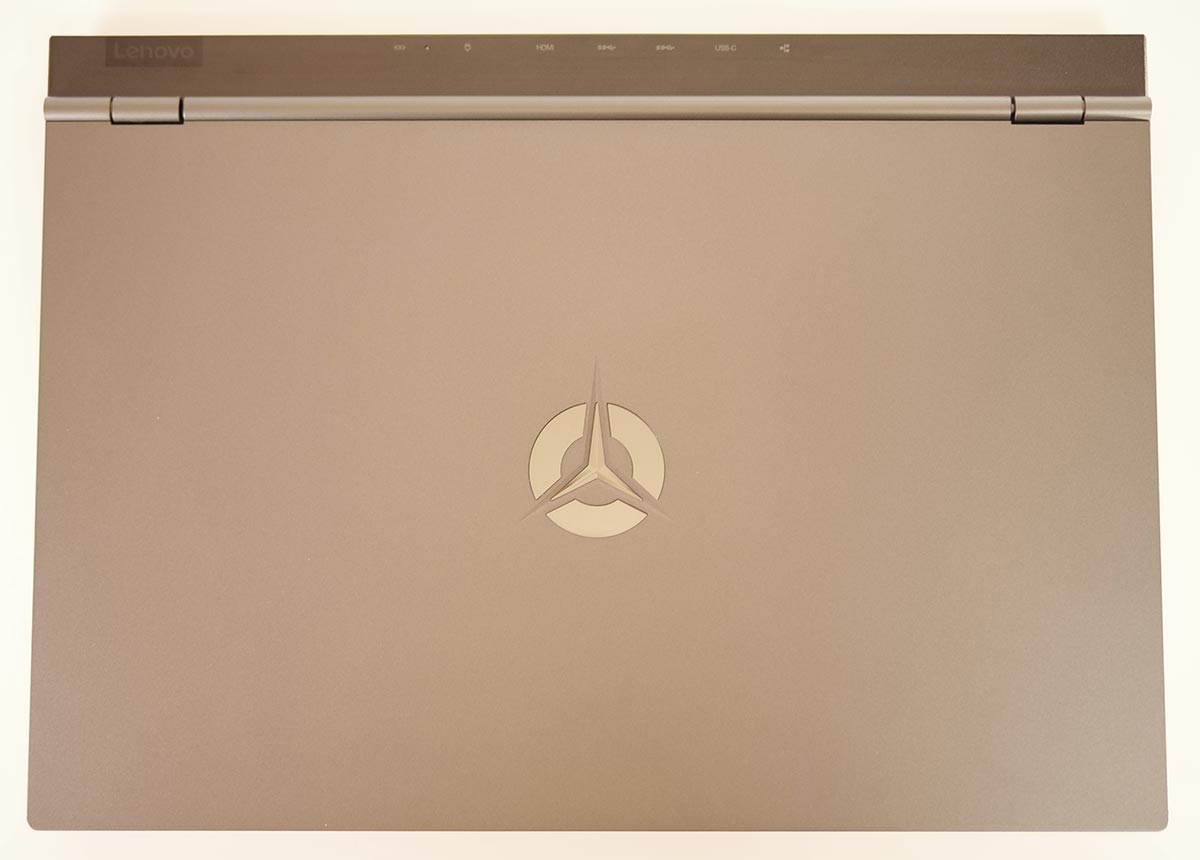
The Legion logo in the center lights up once the machine is powered on.

Sides and Interfaces
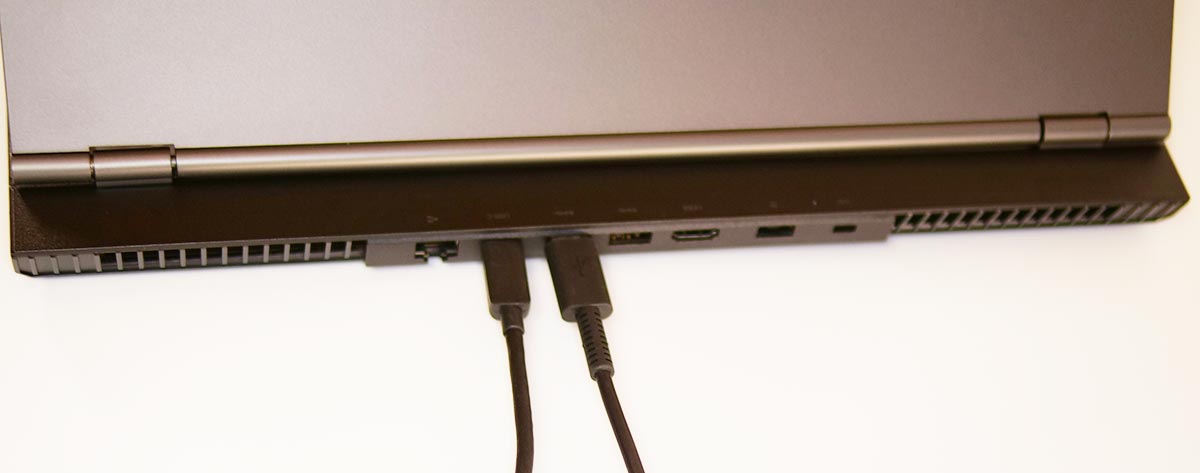
The Lenovo Legion 550Pi concentrates its ports on the back. Since you can gather the cabling behind the display, the whole desk stays very tidy.
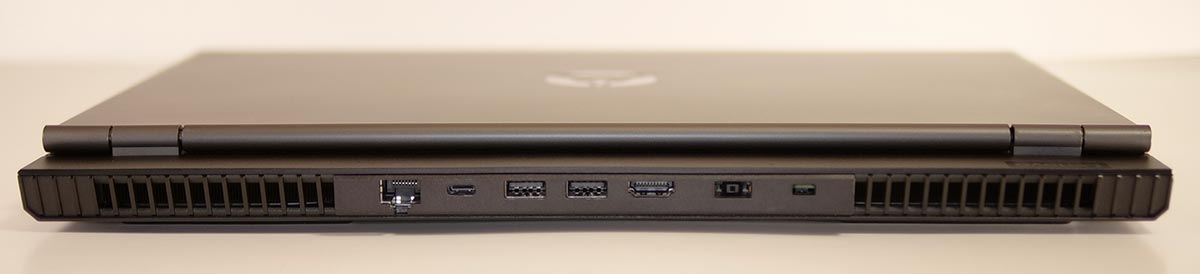
From left to right on the back: wired LAN, USB 3.0 (Type-C), two USB 3.0 (Type-A) ports, HDMI, and the power port.
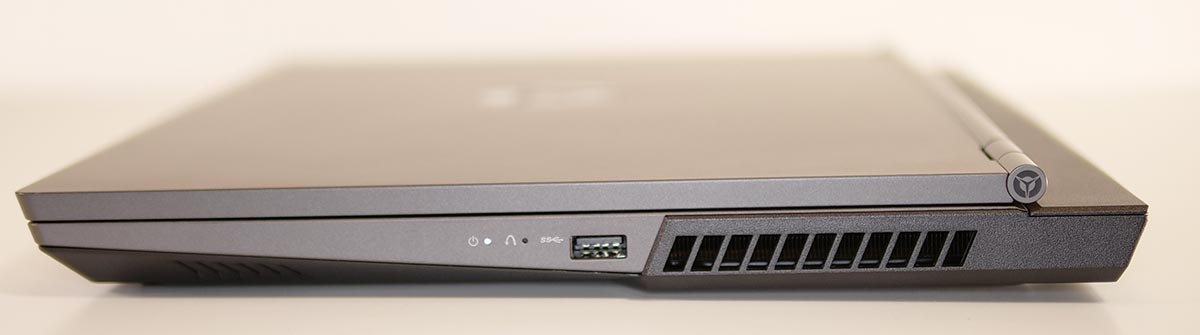
The right side has just a single USB 3.0 (Type-A) port.
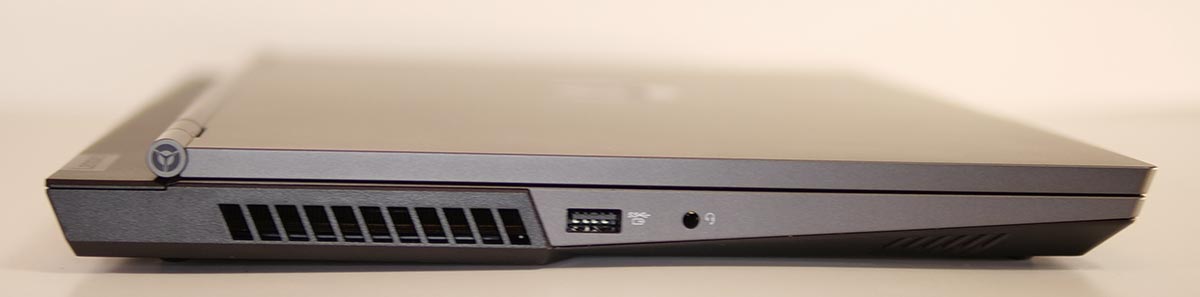
On the left side, from back to front (right to left in the photo), you get a USB 3.0 (Type-A) port and a mic/headphone combo jack.
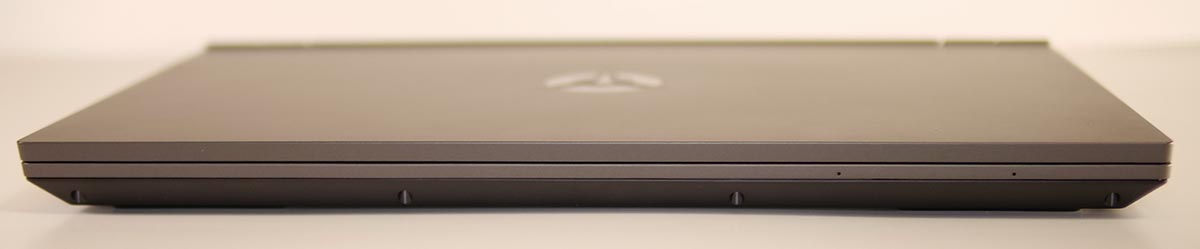
There are no ports on the front.
The Hinge
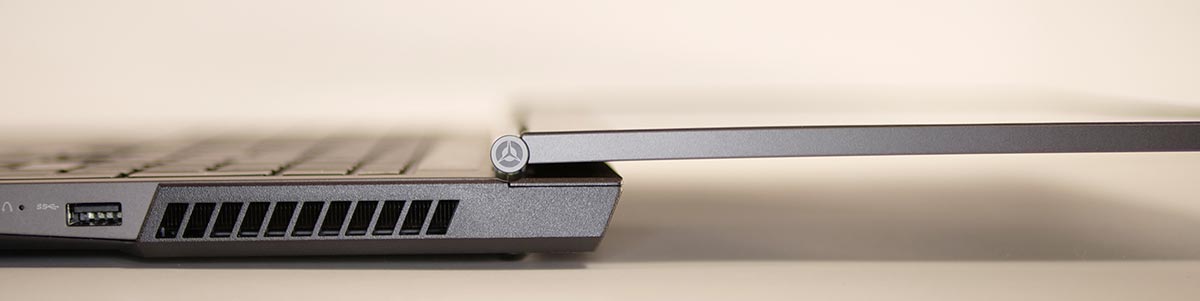
The hinge sits on top of the base rather than at the very back, so tilting the screen does not shift the keyboard’s position. The display also opens past 180 degrees.
Keyboard and Trackpad
As shown below, the Lenovo Legion 550Pi has a full-size Japanese-layout keyboard.
The area around the ENTER key on the right (near ¥, _, and 」) has its own distinct shape.
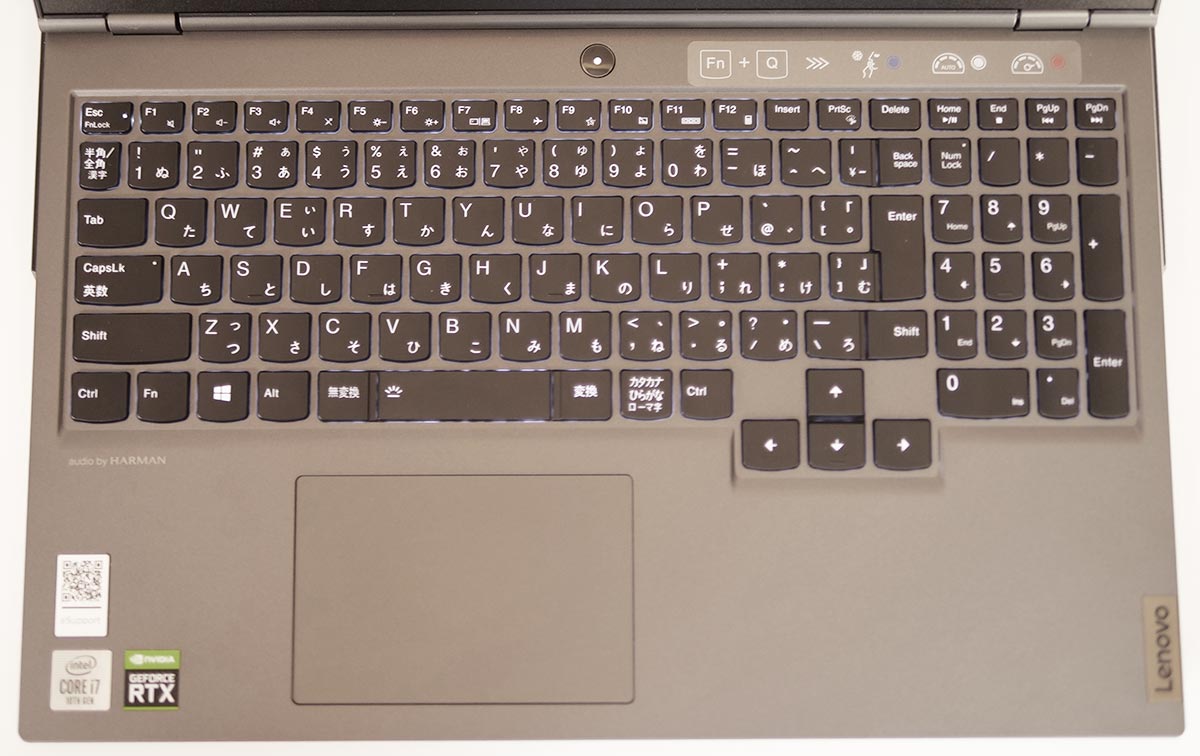
My own DELL G5 5500 has a similar layout in this area. You get used to it quickly with regular use.
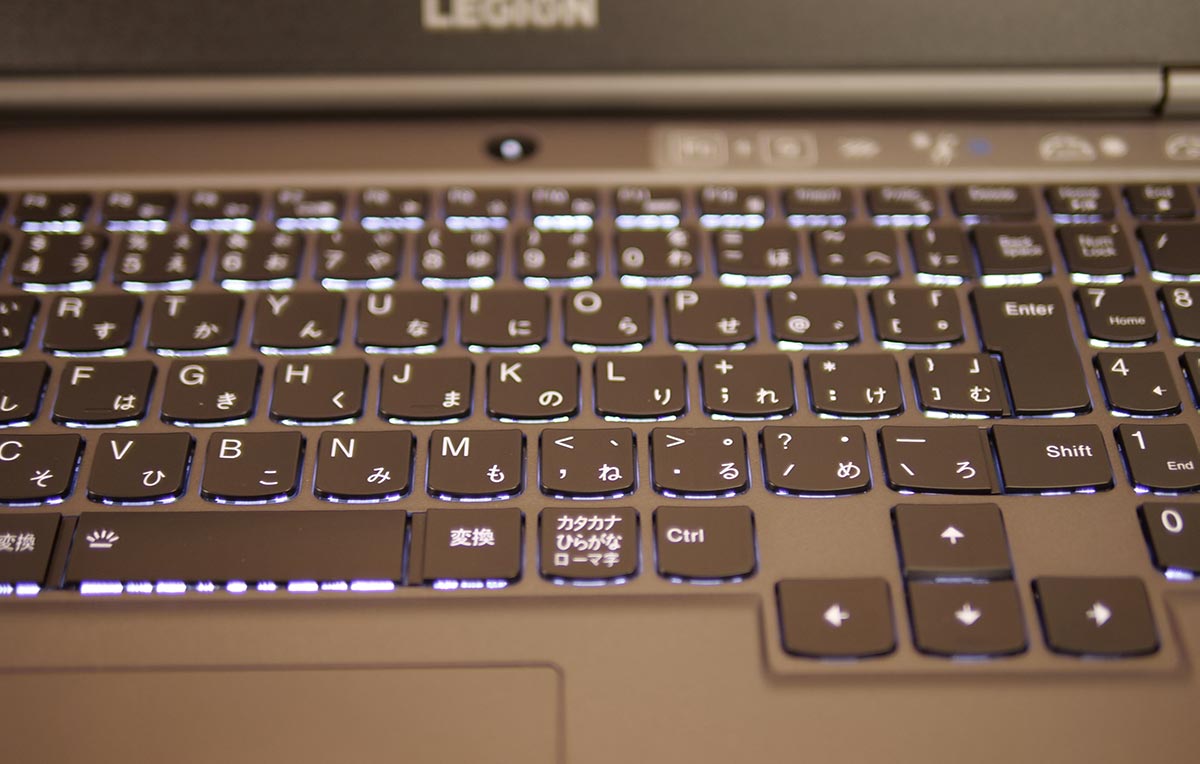
The typing feel is solid, and the key sound is on the quiet side.
The trackpad is modestly sized and positioned where you are unlikely to brush it by accident.
Lighting
The only lighting on the Lenovo Legion 550Pi is the keyboard backlight and the logo on the lid.
Webcam
The Lenovo Legion 550Pi has no built-in webcam.
Weight and Portability
The Laptop Itself
I weighed the unit.
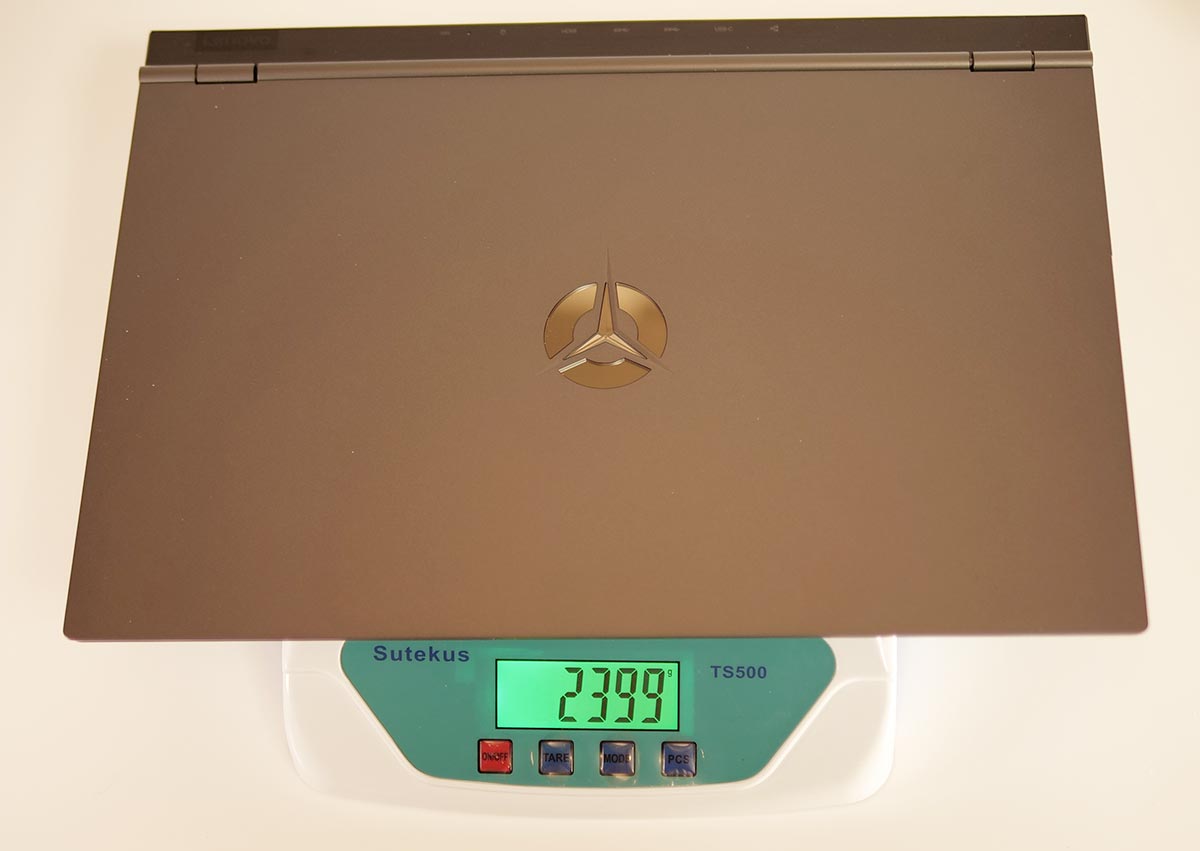
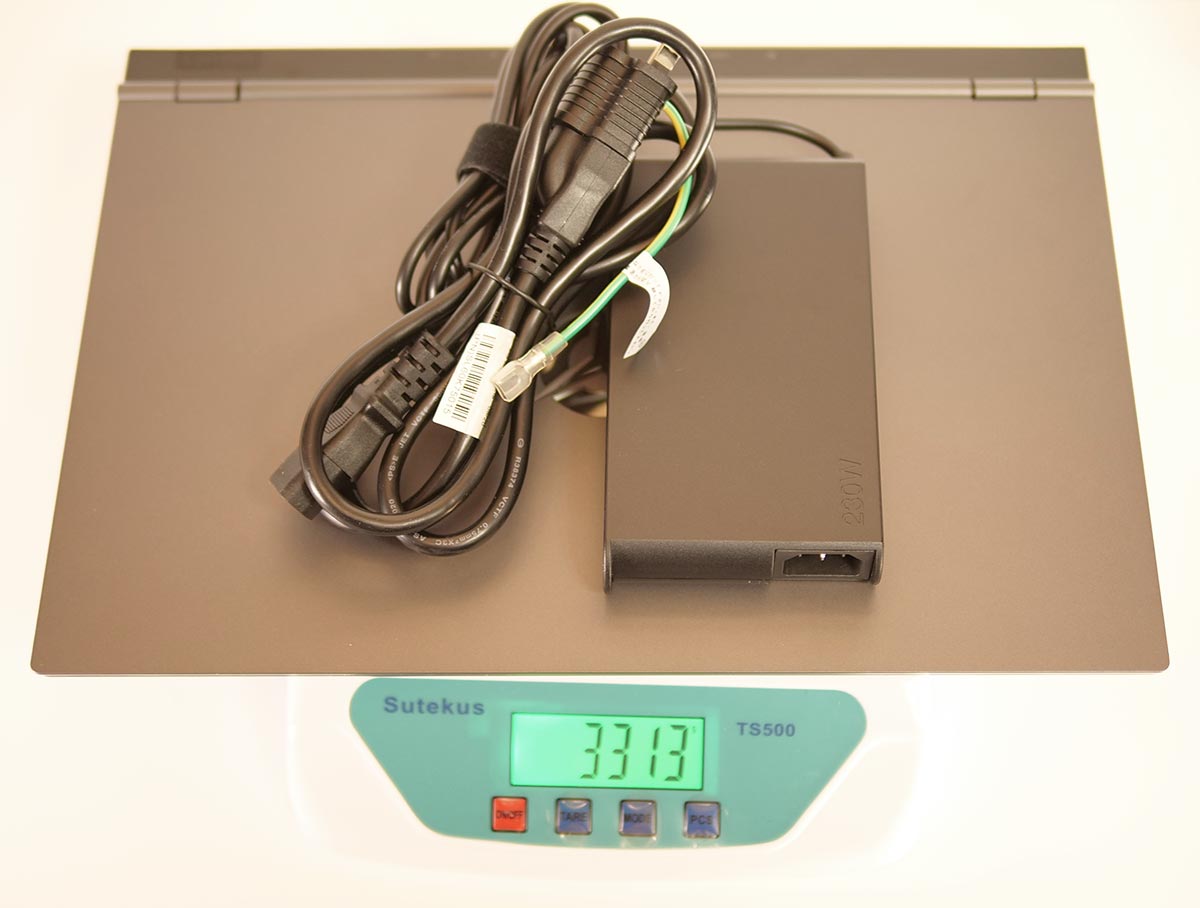
| Item | Weight |
|---|---|
| Laptop only | 2.399kg |
| Laptop + power adapter | 3.313kg |
At roughly 2.4kg for the laptop alone, this is on the heavy side even for a gaming laptop.
Add the power adapter and you are at roughly 3.3kg.
Power Adapter
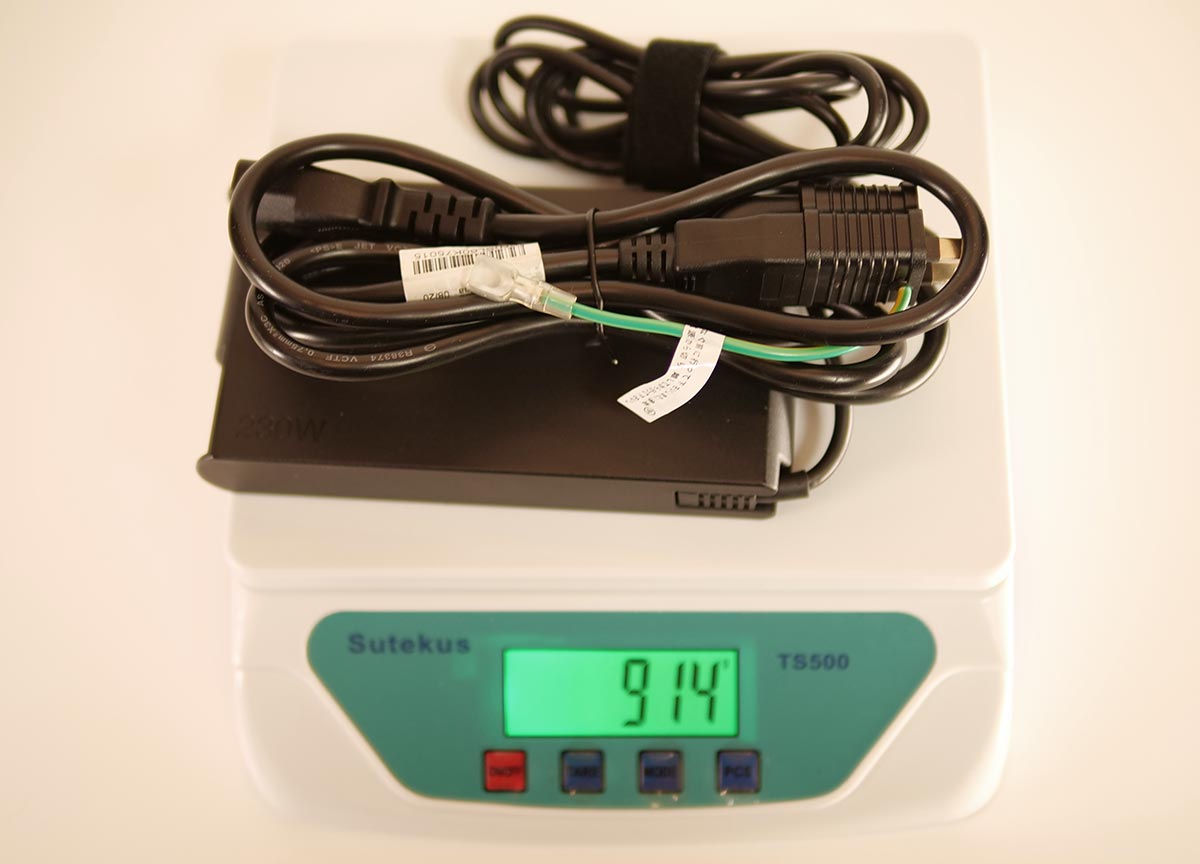
At 230W, the AC adapter is quite large and heavy. That said, it is somewhat smaller and lighter than earlier models.
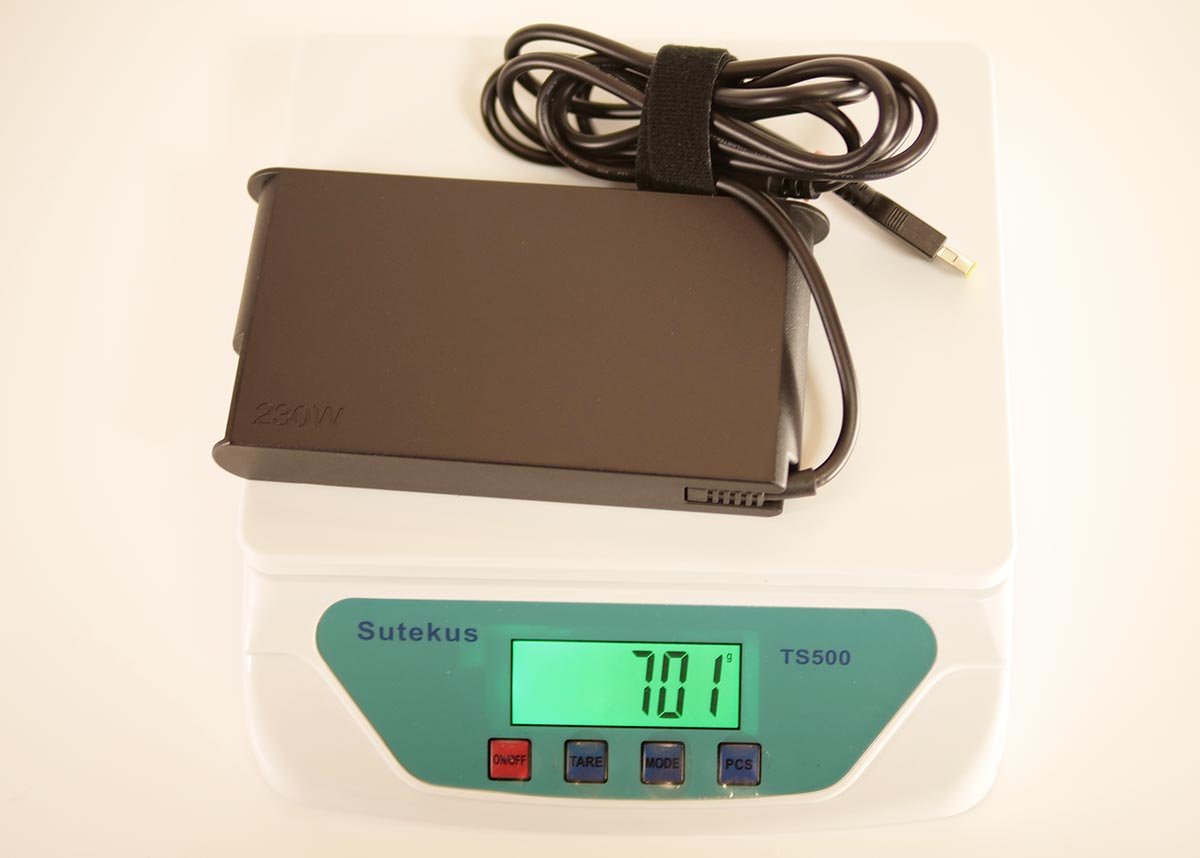
Even so, the adapter alone weighs about 0.7kg, and roughly 0.9kg with the cable — heavy enough that you would rather not carry it around.
VR Performance Test Results
From here, I go through the VR performance of the Lenovo Legion 550Pi (RTX 2060 model). This section estimates VR performance from benchmark app scores.
Against the Recommended Oculus Spec
I compared this against a PC built to the minimum recommended Oculus GPU spec:
- CPU: Intel Core i5-4590
- GPU: GeForce GTX 1060 6GB
- Memory: 8GB
The figures below are calculated from measured results.
VR Performance (Legion 550Pi RTX2060)
Relative value, recommended spec = 100
*Lenovo Legion 550Pi (RTX2060 model) performance, with the Oculus recommended spec set to 100
3Dmark TimeSpy shows DirectX 12 rendering performance, and 3Dmark FireStrike shows VR rendering performance using richer graphics — both scored against the recommended GTX 1060 6GB desktop set to 100. Cinebench CPU and Cinebench SingleCore show overall and per-core CPU compute power against the recommended Core i5-4590 set to 100. The memory score shows RAM capacity against the recommended 8GB set to 100.
Against the Oculus recommended performance, this looks like more than enough headroom.
Resolution Against Frame Rate
I ran VRMark across a range of resolutions. The horizontal axis is pixel count; the vertical axis is frame rate.
Resolution vs. VRMark Score (Legion 550Pi RTX2060)
| 3.1 | 198 | 134 | 120 | 72 |
| 5 | 158 | 97 | 92 | 72 |
| 8.3 | 116 | 63 | 66 | 72 |
| 14.7 | 79 | 38 | 44 | 72 |
If you are using an Oculus Quest or Quest 2, look at roughly the 10-megapixel mark on the graph to estimate the frame rate you will get. At the default rendering-resolution setting of “1.0," heavier apps do risk a fairly low frame rate. In practice, turning the rendering resolution down a bit should get you comfortable VR.
Lenovo Legion 550Pi (RTX2060 model) VR performance: it runs at roughly 1.5x the Oculus recommended spec. High resolution is still a stretch, but VR is genuinely enjoyable here.
VR Score and Cost Performance
Against a score of 100 for the Oculus recommended spec, this comes out to 158.
Overall PC Performance
Here are the results from the PCMark10 benchmark app, which shows how the Lenovo Legion 550Pi (RTX2060 model) performs for non-gaming use.
I compared this against a desktop PC built around an “Intel Core i5-10400."
PC Performance (DELL G5 5505)
Relative value, reference spec = 100
*Lenovo Legion 550Pi (RTX2060 model) performance, with the Intel Core i5-10400 benchmark result set to 100
PCMark10’s “Overall" reflects total PC performance. “Essentials" reflects everyday tasks like launching apps and browsing. “Productivity" reflects office-suite work. “Digital Content Creation" reflects creative work — photo, video, and 3D graphics.
It holds its own against a desktop PC without embarrassment.
Lenovo Legion 550Pi (RTX2060 model) baseline performance: it clears the performance of a typical mainstream Core i5 desktop PC. You are unlikely to feel short on power for ordinary work, whatever you are doing.
Standard Benchmark Results
Including the figures above, here are the standard benchmark results side by side. For VR use, this is more than enough performance.
| Benchmark | Score |
|---|---|
| SteamVR Performance Test | Average fidelity: 10.8 (Very high) Frames tested: 11,707 |
| VRMark | Orange Room: 9,073 Cyan Room: 6,145 Blue Room: 1,999 |
| 3DMark | Time Spy: 6,304 Fire Strike: 14,632 |
| PCMark10 | OVERALL: 6,143 Essentials: 9,042 Productivity: 8,462 Digital Content Creation: 8,224 |
| CINEBENCH R20 | CPU: 3,088 Single Core: 465 |
| FINAL FANTASY XV | High quality: 7,012 (Comfortable) |
| FINAL FANTASY XIV | Maximum quality: 15,184 (Extremely comfortable) |
Even the comparatively heavy “Final Fantasy XV" runs at high quality without trouble.
Storage
The C Drive
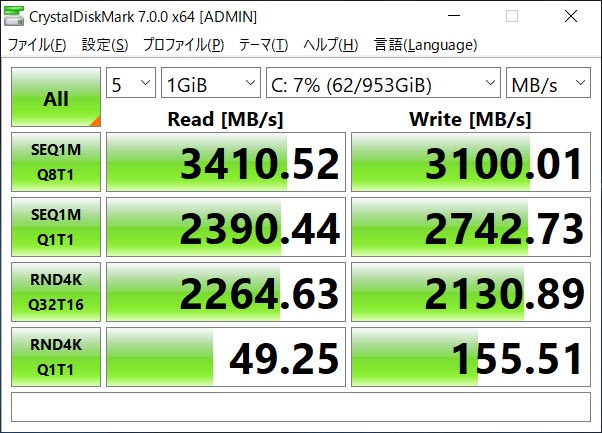
The unit carries a fast Western Digital SSD, the “SN730," supporting PCIe 3.0 x4.
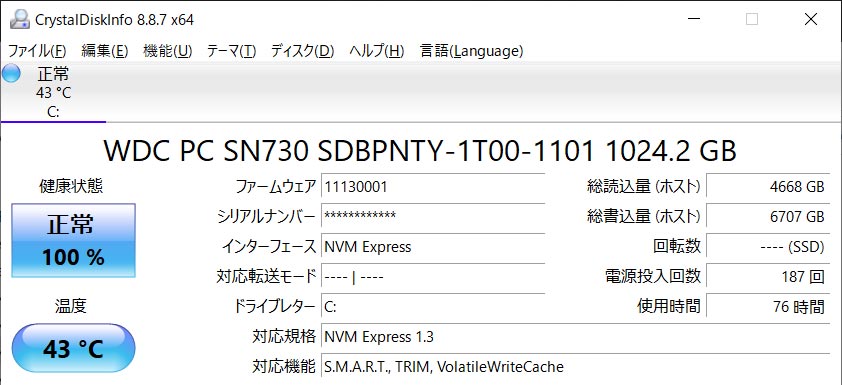
Sequential read comes in above 3,000MB/s, putting it in the fast tier even among M.2 SSDs.
Power Draw and Noise
For reference, I measured power draw and noise. The battery was at 100%, with the fan mode set to “Performance."
| State | Power draw | Noise |
|---|---|---|
| Powered off | 0W | 32dB |
| Idle (“Performance" mode) | 48W | 38dB |
| Under load (3DMark) | 220W | 52dB |
Once the fan spins up, you hear a whooshing sound. It appears to ramp fan speed in steps rather than running flat-out constantly. Even during VR use, it stays surprisingly unobtrusive.
Trying Out GPU Mining
Gaming PCs come with high-performance GPUs, which means they can technically be put to work mining Bitcoin and similar coins too.
I tried a short mining run using NiceHash.
The Lenovo Legion 550Pi’s GPU here is the RTX 2060. It hashed at just over 27MH/s, and GPU temperature stayed surprisingly low, holding around 65°C. My own PC (a DELL G5 5500) runs closer to 80°C under the same kind of load, so the Legion 550Pi’s cooling is doing a genuinely good job here.
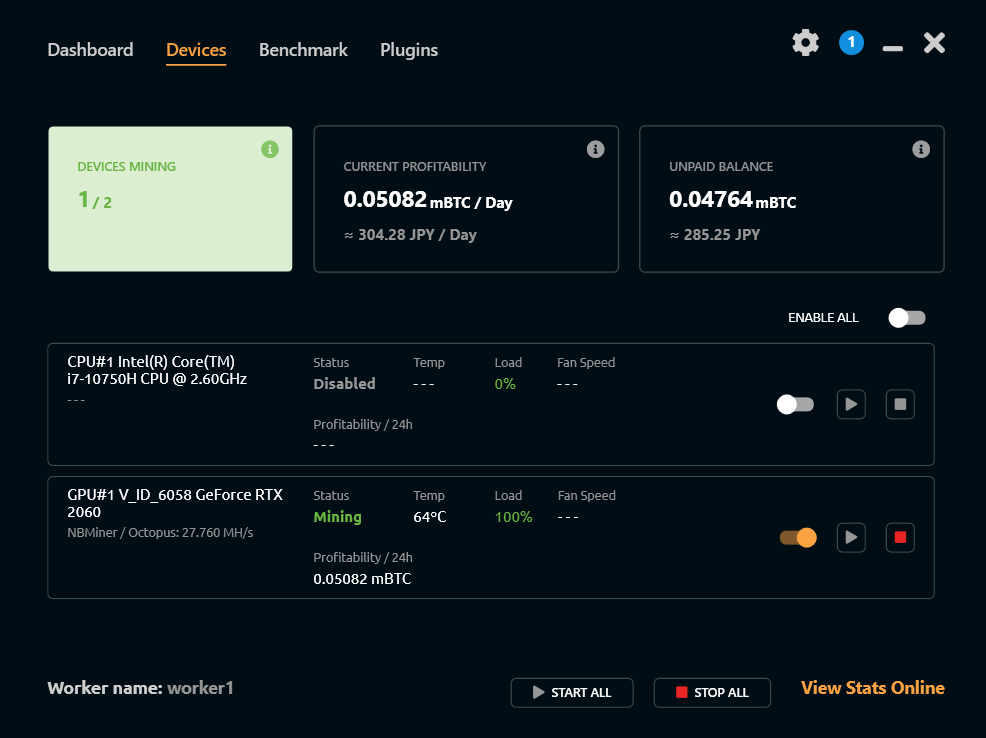
That works out to about 0.05 mBTC mined per day.
At a rate of ¥6.2 million per BTC, that is roughly ¥9,300 a month in pocket money.
For reference, here is the GPU tuning I used for this. Even with MSI Afterburner, I could not get the power limit slider to go any lower.
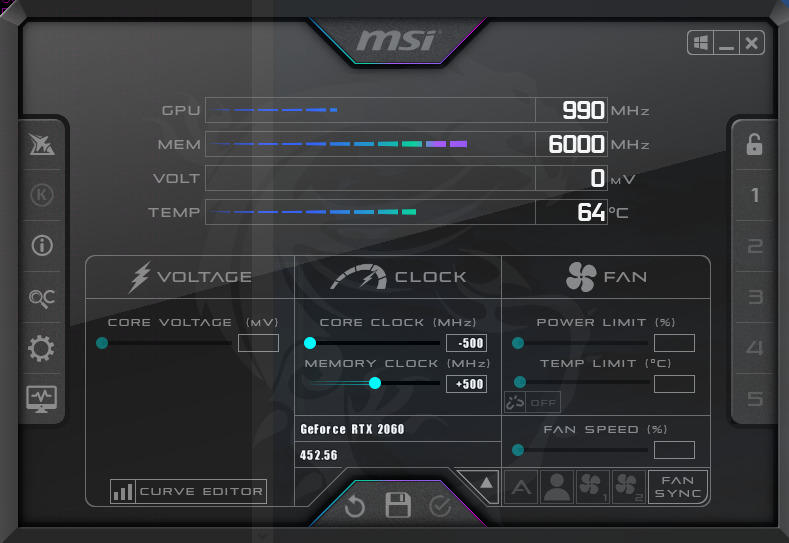
Power draw came to about 150W. At ¥26/kWh, that is roughly ¥2,800 a month in electricity, leaving a net of about ¥6,500 a month, or somewhere around ¥78,000 a year — pocket money in the range that would not require declaring it separately on your taxes.
That said, mining accelerates wear on the hardware. If you already plan to run this laptop into the ground eventually, mining it during idle hours while saving up for the next upgrade might be a reasonable way to use that time.
Trying Various Headsets
I checked what kind of frame rate you get with each headset.
Wiring for DisplayPort Headsets
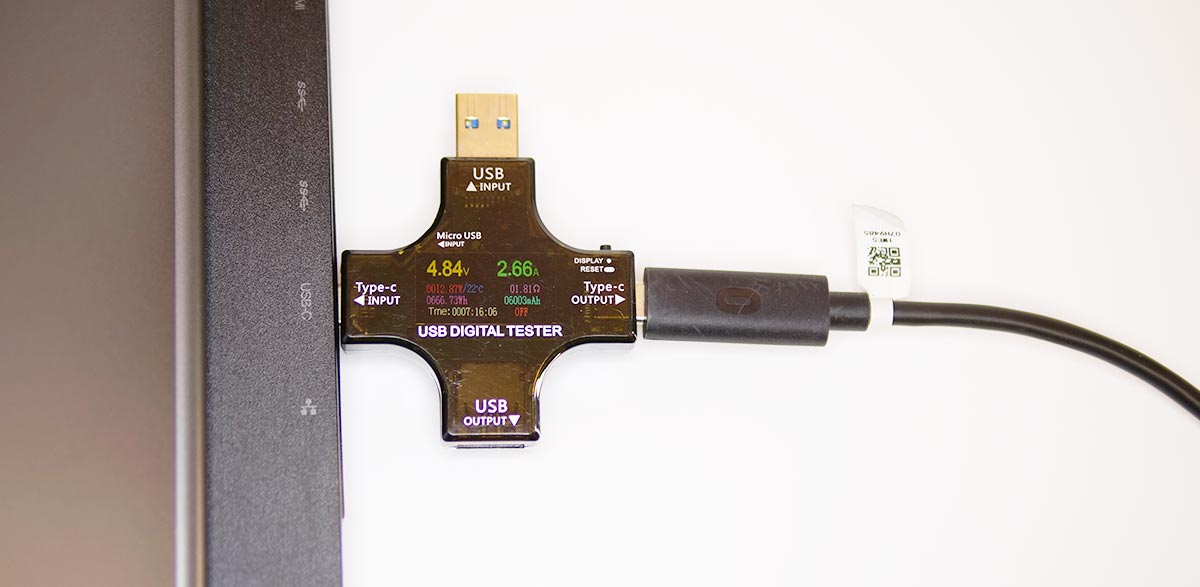
The Lenovo Legion 550Pi (RTX2060 model) has no DisplayPort of its own, but attaching a DisplayPort adapter to the rear USB Type-C port lets you connect an Oculus Rift S, a Vive-series headset, and similar devices.
The neighboring USB port also supports USB 3.0, so the cabling stays tidy.
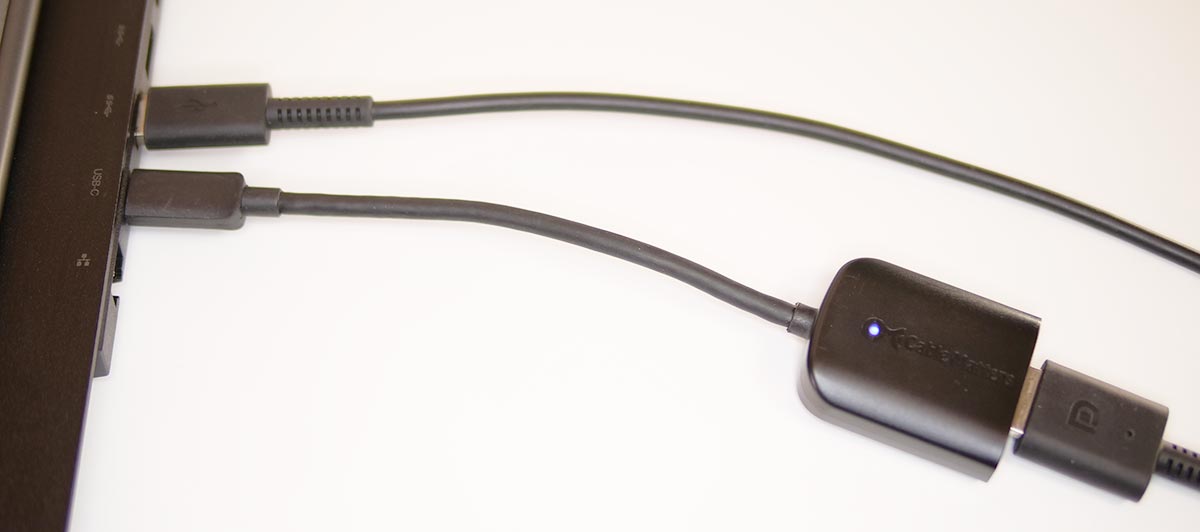
Here is the adapter I used.
Oculus Rift S
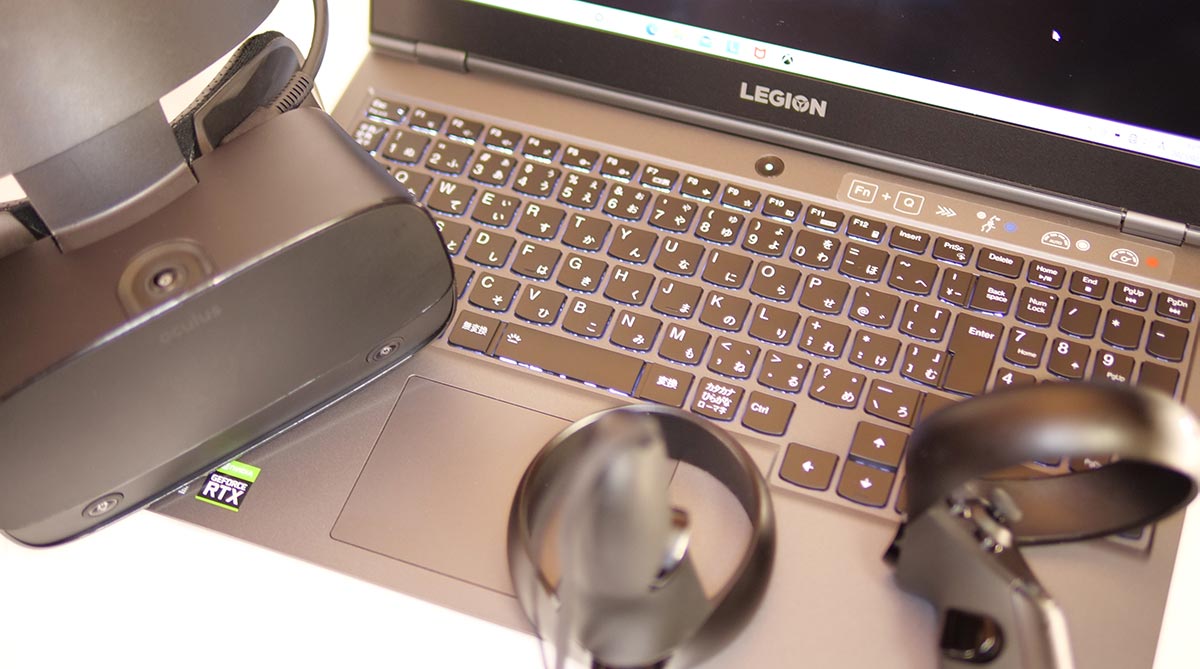
The Oculus Rift S refreshes at 80Hz. I measured the frame rate in each app.
Prioritizing Quality
With the Oculus app set to “Prioritize quality," here is the frame rate for each app.
Oculus Rift S (Quality priority) x Legion 550Pi (RTX2060)
Even the heavy VR app “Asgard’s Wrath" hits 80fps at high quality — genuinely comfortable to play.
The heavier “Medal of Honor" is just barely short of the frame-rate target. In practice, loading takes a while, but once it is running, it plays comfortably.
Prioritizing Performance
With the Oculus app set to “Prioritize performance," here is the frame rate.
Oculus Rift S (Performance priority) x Legion 550Pi (RTX2060)
Even the very heavy “Medal of Honor" hits 80fps here. Comfortable.
Vive Cosmos Elite
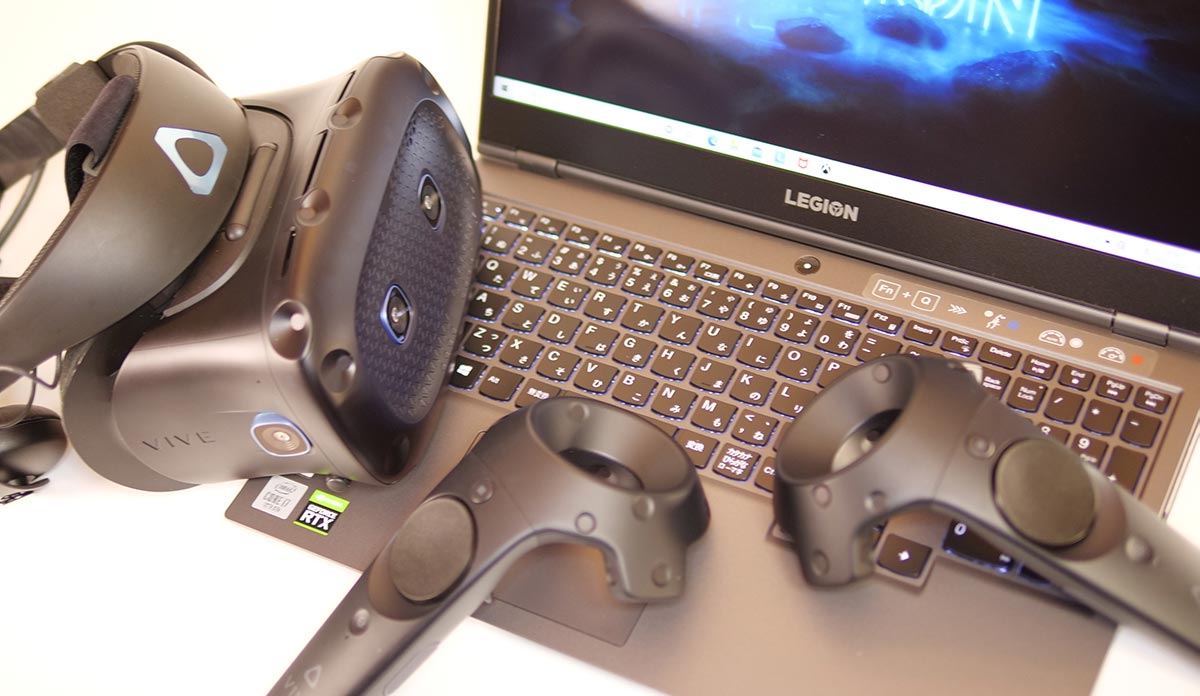
The Vive Cosmos Elite refreshes at 90Hz. I measured the frame rate in each app.
Rendering Resolution: 100% (2016×2380)
I set the video supersampling setting to 100% (per-eye resolution: 2016×2380) and measured the frame rate in each app.
Vive Cosmos Elite (SS 100%) x Legion 550Pi (RTX2060)
Heavier apps, or pushing for high quality, cannot hold the frame rate at this setting.
Rendering Resolution: 50% (1424×1680)
I set the video supersampling setting to 50% (per-eye resolution: 1424×1680) and measured the frame rate in each app.
Vive Cosmos Elite (SS 50%) x Legion 550Pi (RTX2060)
At this setting, even heavier apps start getting within reach of the 90fps target.
Pimax 8K Plus
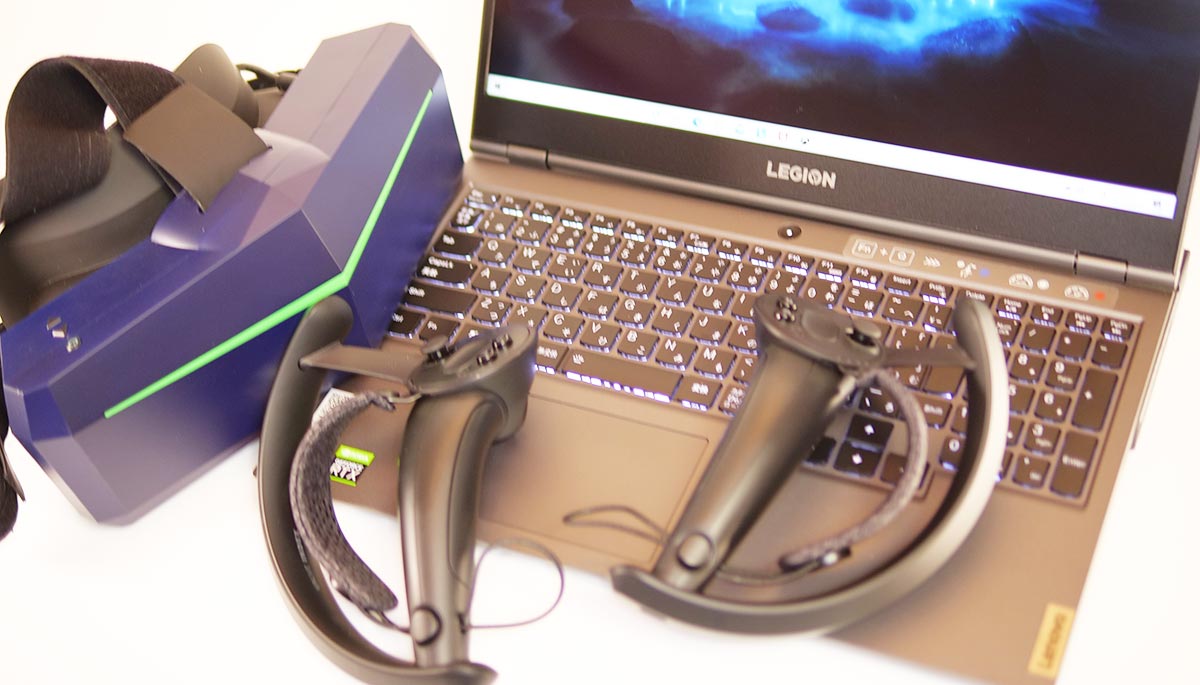
The Pimax 8K Plus can refresh at 72Hz, 90Hz, or 110Hz. I measured the frame rate in each app.
Field of View “Normal" (per eye: 3080 x 2632)
I checked the frame rate with the Pimax 8K Plus’s field-of-view setting at “Normal" (resolution, per eye: 3080 x 2632). This setting gives a wide field of view and strong immersion.
Pimax 8K Plus (Normal) x Legion 550Pi (RTX2060)
Heavier apps, or pushing for high quality, drop below 72fps here. “Medal of Honor" is a lost cause at this setting.
Enjoying VR at this wide a field of view is a bit of a stretch on this setting.
Field of View “Normal," SS 50% (per eye: 2176 x 1860)
I kept the field-of-view setting at “Normal," set SteamVR supersampling to 50% (resolution, per eye: 2176 x 1860), and checked the frame rate. This gives a wide field of view and strong immersion, but a somewhat soft, blurry image.
Pimax 8K Plus (Normal, SS 50%) x Legion 550Pi (RTX2060)
Lowering supersampling brings even heavier apps into a roughly usable range.
Field of View “Small" (per eye: 2228 x 2632)
I checked the frame rate with the field-of-view setting at “Small" (resolution, per eye: 2228 x 2632). This setting still gives a wider field of view than a typical headset.
Pimax 8K Plus (Small) x Legion 550Pi (RTX2060)
Heavier apps, or pushing for high quality, still drop below 72fps here. “Medal of Honor" is a lost cause at this setting too.
Field of View “Potato" (per eye: 1776 x 2632)
I checked the frame rate with the field-of-view setting at “Potato" (resolution, per eye: 1776 x 2632). This is a narrow field of view — you are not really getting what makes the Pimax 8K Plus worth using.
Pimax 8K Plus (Potato) x Legion 550Pi (RTX2060)
Heavier apps, or pushing for high quality, still drop below 72fps. “Medal of Honor" manages to launch, but it is not comfortable.
Wiring for the Oculus Quest Series
The Lenovo Legion 550Pi (RTX2060 model) has a USB Type-C port on the back, so plugging an Oculus Quest or Quest 2 in there gives you fast charging plus uninterrupted Oculus Link.
Oculus Quest
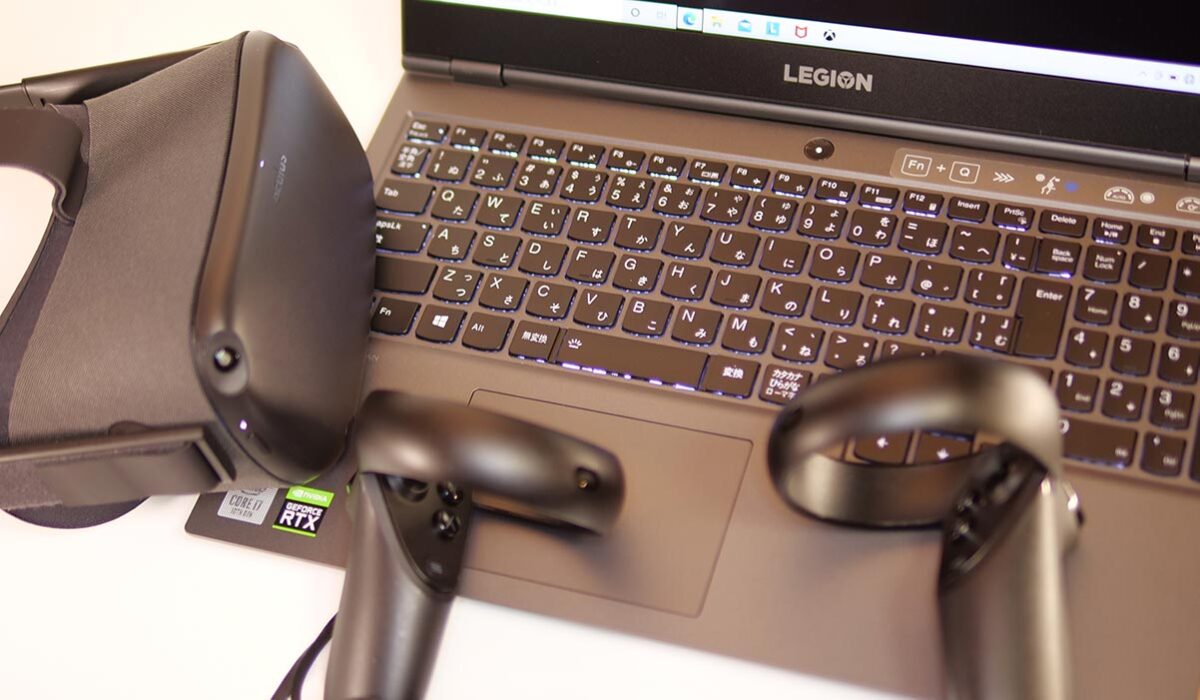
The Oculus Quest refreshes at 72Hz. I measured the frame rate in each app.
Default Setting (4128 x 2272)
I left the PC-side Oculus app’s rendering resolution at the middle “1.0x" setting (resolution: 4128 x 2272) and measured the frame rate in each app.
Oculus Quest (resolution 1.0x) x Legion 550Pi (RTX2060)
Even heavy apps manage to launch here, but pushing for high quality still causes frame drops. For smooth play, lowering the rendering resolution seems like the better call.
Frame-Rate-Focused Setting (3104 x 1712)
I set the rendering resolution to the minimum “0.8x" (resolution: 3104 x 1712), the setting that should maximize frame rate. This produces a soft, heavily-compressed-looking image, but with stable performance.
Oculus Quest (resolution 0.8x) x Legion 550Pi (RTX2060)
This is the setting that gets the most frame rate out of the Oculus Quest.
Even the very heavy “Medal of Honor" runs without dropping frames here. Comfortable.
Quality-Focused Setting (5408×2976)
I set the rendering resolution to the maximum “1.3x" (resolution: 5408×2976), the setting that maximizes image quality, and measured the frame rate.
Oculus Quest (resolution 1.3x) x Legion 550Pi (RTX2060)
This setting maximizes image quality, but frame rate falls apart.
Even where the frame rate technically holds up, the RTX 2060’s memory can run short, so it takes a moment for the image to render correctly — not what I would call comfortable.
Oculus Quest 2
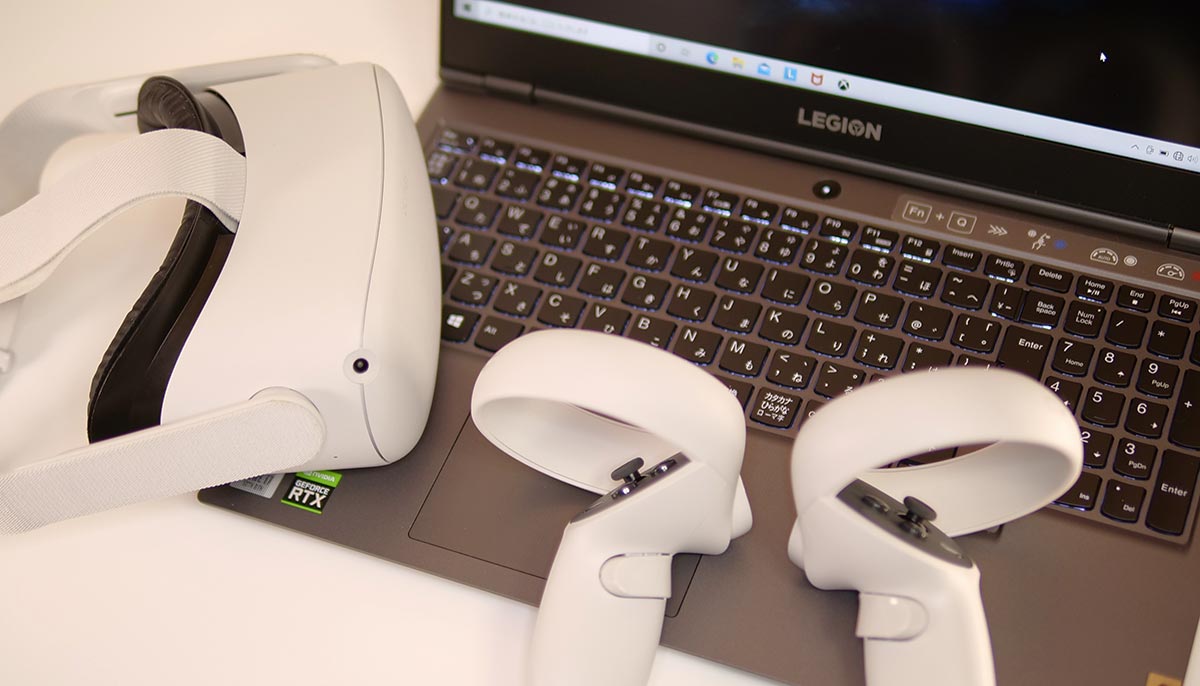
The Oculus Quest 2 can refresh at 72Hz, 80Hz, or 90Hz. I measured the frame rate in each app.
Default Setting (4128 x 2096)
I left the rendering resolution at the middle “1.0x" setting (resolution: 4128 x 2096) and measured the frame rate in each app.
Oculus Quest 2 (resolution 1.0x) x Legion 550Pi (RTX2060)
As long as you are not chasing the highest quality settings, frame rate stays above 72fps and runs comfortably.
That said, heavier apps do drop frames here, so lowering the rendering resolution is a good idea.
Frame-Rate-Focused Setting (2784 x 1408)
I set the rendering resolution to the minimum “0.7x" (resolution: 2784 x 1408), the setting that should maximize frame rate. This produces a soft, heavily-compressed-looking image, but with stable performance.
This is the setting that gets the most frame rate out of the Oculus Quest 2.
Even the very heavy Medal of Honor does not drop frames here. It takes a while to load, but once it is running, it stays comfortable.
Quality-Focused Setting (5408×2736)
I set the rendering resolution to the maximum “1.3x" (resolution: 5408×2736), the setting that maximizes image quality, and measured the frame rate.
Oculus Quest 2 (resolution 1.3x) x Legion 550Pi (RTX2060)
This setting maximizes image quality, but frame rate falls apart.
Even where the frame rate technically holds up, the RTX 2060’s memory can run short, so it takes a moment for the image to render correctly — not what I would call comfortable.
What I Could Not Verify
This is a single unit on loan from Lenovo, so I cannot say how much these numbers would vary between individual units. I did not run a long-duration mining session, and the mining income figures above are extrapolated from a short test run rather than a full day of continuous operation.
In Summary: A Legion 550Pi Configuration That Actually Handles VR
I have gone through the performance of Lenovo’s entry-level gaming laptop, the Lenovo Legion 550Pi (RTX2060 model).
What stood out as good:
・An easy-to-use layout with the ports concentrated on the back
・Strong cost performance for the level of power on offer
・PC VR is genuinely enjoyable
What I would not recommend it for:
・At roughly 2.4kg, it is heavy even as a gaming laptop
The Lenovo Legion 550Pi (RTX2060 model) is one of the GeForce-series gaming laptops that carries a ray-tracing-capable GPU.
| Headset | Verdict |
| Oculus Rift S | Runs with headroom to spare. |
| Oculus Quest | Runs comfortably. Better to keep apps at lower quality settings. |
| Oculus Quest 2 | Runs comfortably. Better to keep apps at lower quality settings. |
| Vive Cosmos Elite | Cannot deliver its full performance. Usable once you drop supersampling to 50% or below. |
| Pimax 8K Plus | Cannot deliver its full performance. Just about usable once you drop supersampling to 50% or below. |
This has plenty of performance even against the Oculus recommended PC spec. If you are running Oculus-series headsets, you should be able to enjoy VR without issue. Even at this level, “Medal of Honor" is playable, if just barely.
Medal of Honor also takes up around 180GB, so having a 1TB SSD is a genuine relief.
The Legion 550Pi also has a standard keyboard layout, so it feels perfectly normal for regular work. There are configurations with Microsoft Office bundled in too, so it can pull its weight outside of gaming.