What to Buy for Local AI: Dedicated GPU vs Mac vs High-Memory Mini PC
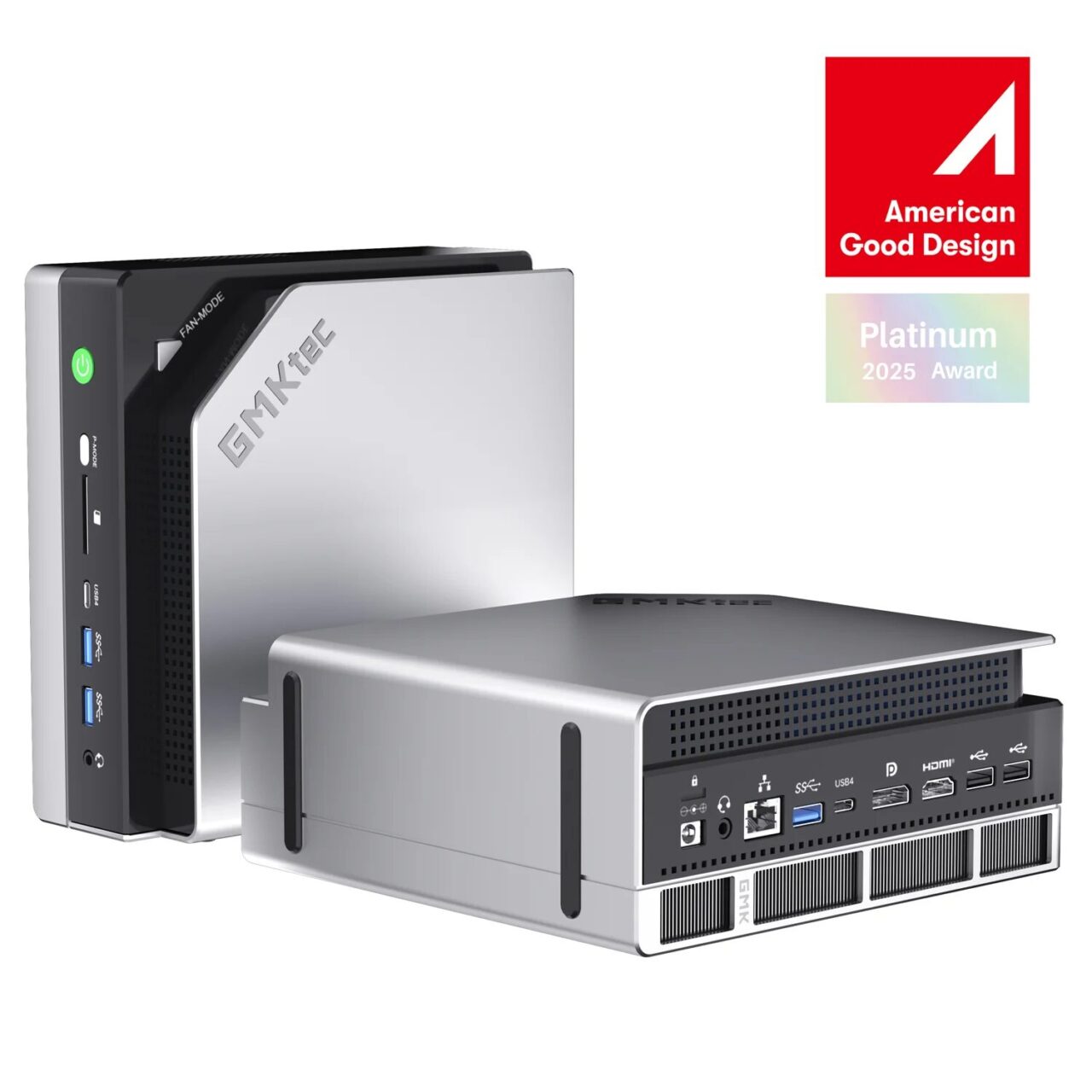
Image: GMKtec (official) — EVO-X2
You want to run big AI models locally. The moment you decide that, the next thing that hits you is the practical question: “So what do I buy, and will it pay for itself?" A dedicated gaming GPU, a Mac, or a mini PC with a lot of memory. Each has its strengths and weaknesses, and in 2026 there’s an unusual twist in the mix as well: soaring memory prices. I ran the actual hardware here and tried to organize the material you need to make a buying decision. (based on research and hands-on testing as of June 2026)
- 1. First, comparing power draw and speed on real hardware
- 2. So, does it pay for itself?
- 3. In 2026, a high-capacity Mac is hard to buy in the first place
- 4. If you’re buying, keep an eye on last-gen sales too
- 5. Conclusion: the answer changes with how you use it
- 6. Sites I referenced
- 7. Products in this article
First, comparing power draw and speed on real hardware
I put a mini PC with a lot of memory (128GB of unified memory; unified memory is an arrangement where the CPU and GPU share the same memory, which lets you load correspondingly larger AI models) side by side with a desktop packing a dedicated GPU (a 24GB and a 12GB GPU) and measured them. The tendencies split cleanly.
| Aspect | Mini PC (128GB unified) | Desktop with dedicated GPU |
|---|---|---|
| Upper limit on model size | About 120GB (even 70B–235B class) | Up to 24GB of GPU memory (30B class is the ceiling) |
| Speed on models that fit | Baseline | About 3x faster |
| Power draw (measured) | About 120W for the whole system | 400–500W class under load |
For a model that fits within its size, the dedicated GPU runs faster thanks to its wider bandwidth (the speed at which data is read out of memory). That said, the dedicated GPU has a 24GB wall, and any model larger than that won’t load. The mini PC is slower, but it holds up to 120GB, and its power draw stays at roughly a third of the desktop for the whole system. The division of labor—"the dedicated GPU for speed, the mini PC for capacity and low power"—showed up directly in the numbers.
So, does it pay for itself?
Let me do the math honestly, including the price of the unit. The mini PC (128GB configuration) came to about ¥520,000. The first thing that’s easy to see is that you can’t recoup it on electricity savings alone. Even if you ran it around the clock and swapped it in for the desktop, the difference in electricity comes to about ¥1,500 a month. By that math, it would take over twenty years to break even, and that’s no reason to buy one.
Where it starts to make sense is when it can cover the cost of a cloud API (a system where you use another company’s AI over the internet and pay only for what you use). But there’s a big caveat here. The real-world ability of models you can run locally tops out at roughly the previous-generation cloud flagship (the GPT-4o generation). It falls a step short of today’s frontier (the latest GPT-5 series or Claude). If your work requires frontier quality, local won’t substitute for it, and you end up paying cloud fees anyway. In that case the mini PC is no saving—it’s just an added cost.
Conversely, if you’re doing a fair amount of work that “previous-generation smarts can handle just fine"—summarizing, classifying, drafting, assisting with in-house code—then the mini PC earns its keep. The buying decision isn’t “is local smart?" but “what fraction of my work is fine without the very latest?"
In 2026, a high-capacity Mac is hard to buy in the first place
There’s also the matter of timing to address. In 2026 memory prices have soared, and machines with lots of memory have gone up in price across the board and become scarce. The backdrop is that AI demand has outstripped the supply of DRAM (the semiconductor used for a PC’s main memory), and the Mac Studio is no exception. Right now the 128GB and 256GB upper memory configurations can no longer be ordered, and the top option you can choose has dropped to 96GB. The arrival of the new model (M5) is also expected to slip to around autumn because of the supply shortage.
Under these conditions, ¥520,000 reads less like “an expensive purchase" and more like “one of the few realistic options for getting 128GB of unified memory in a single machine amid soaring memory prices." Even if you wanted to assemble the same capacity with a Mac, the upper configurations themselves aren’t selectable right now. A setup with several dedicated GPUs plugged in adds up in price, power, and footprint. If your goal is simply “run a big model on one machine," this class was the most accessible option as things stand.
If you’re buying, keep an eye on last-gen sales too
A successor to this mini PC (the EVO-X3) has already been announced. But the heart of it is the same Ryzen AI Max+ 395, and the part that governs how fast AI models run is unchanged. The main differences are the addition of a high-speed port for an external GPU (OCuLink) and a slightly larger chassis that gives the cooling more headroom. If local AI is your aim, then once the successor arrives and the older model drops in price, it becomes a target worth watching—the same performance for less. Also, a higher-capacity top model (192GB) is planned for a later date. That one uses a different chip altogether (the Ryzen AI Max+ PRO 495), so if you feel 128GB isn’t enough, waiting for it is another option.
Conclusion: the answer changes with how you use it
To sum up, it comes to this. If you just want speed and your model fits in the GPU, go with the dedicated GPU. If you want to run work that previous-generation smarts can handle—at high volume on your own machine, or on data you can’t send outside—then a mini PC with lots of memory. If you want “both speed and capacity" in one machine, the natural answer is the Mac Studio, but the scarcity stands in the way right now. For work that needs the latest frontier, just use the cloud. As long as you don’t get this dividing line wrong, investing in local AI is worthwhile.
▼ The EVO-X2 used in this testing (check price on Amazon / Rakuten)
As an Amazon Associate we earn from qualifying purchases.
Sites I referenced
- Tom’s Hardware, “Apple quietly axes 128GB Mac Studio amid supply constraints and local AI frenzy" https://www.tomshardware.com/desktops/apple-quietly-axes-128gb-mac-studio-amid-supply-constraints-and-local-ai-frenzy-highest-memory-capacity-reduced-to-96gb-two-months-after-discontinuation-of-512gb-model
- MacRumors, “Apple Stops Accepting Orders for Some Mac Mini and Mac Studio Models" https://www.macrumors.com/2026/04/11/some-mac-mini-mac-studio-currently-unavailable/
- MacRumors, “Apple Cuts More Mac Studio and Mac Mini RAM Options as Memory Shortage Worsens" https://www.macrumors.com/2026/05/05/apple-mac-studio-mac-mini-ram-cuts/
- Macworld, “M5 Mac Studio 2026: Release date, M5 Ultra rumors, specs, price, & RAM delay news" https://www.macworld.com/article/2973459/2026-mac-studio-m5-release-date-specs-price-rumors.html
- VideoCardz, “GMKtec EVO-X3 mini PC with Ryzen AI Max+ 395 launches June 29" https://videocardz.com/newz/gmktec-evo-x3-mini-pc-with-ryzen-ai-max-395-launches-june-29
- VideoCardz, “GMKtec confirms EVO-X3 to get Ryzen AI Max+ PRO 495 with 192GB memory later this year" https://videocardz.com/newz/gmktec-confirms-evo-x3-to-get-ryzen-ai-max-pro-495-with-192gb-memory-later-this-year
- Liliputing, “GMK EVO-X3 is a mini workstation with up to Ryzen AI Max+ PRO 495, 192GB of RAM, and OCuLink" https://liliputing.com/gmk-evo-x3-is-a-mini-workstation-with-up-to-ryzen-ai-max-pro-495-192gb-of-ram-and-oculink/