EVO-X3 vs EVO-X2: What Actually Differs — Reading the Pre-Launch Specs as an X2 Owner
As someone who has been running large models on an EVO-X2 at home, I was curious about the “EVO-X3" that bills itself as the successor. It is introduced as an upgraded, higher-end model with the latest Ryzen AI Max+ 395. The thing is, the EVO-X2 already carries that exact same chip. So what, precisely, makes the X3 the “higher-end" one? Before it goes on sale, let me line up the published specs against the X2 I have actually been using. (The EVO-X3 is not in my hands, so its figures are based on published specifications. The EVO-X2 speed numbers are my own hands-on measurements, as of July 2026.)
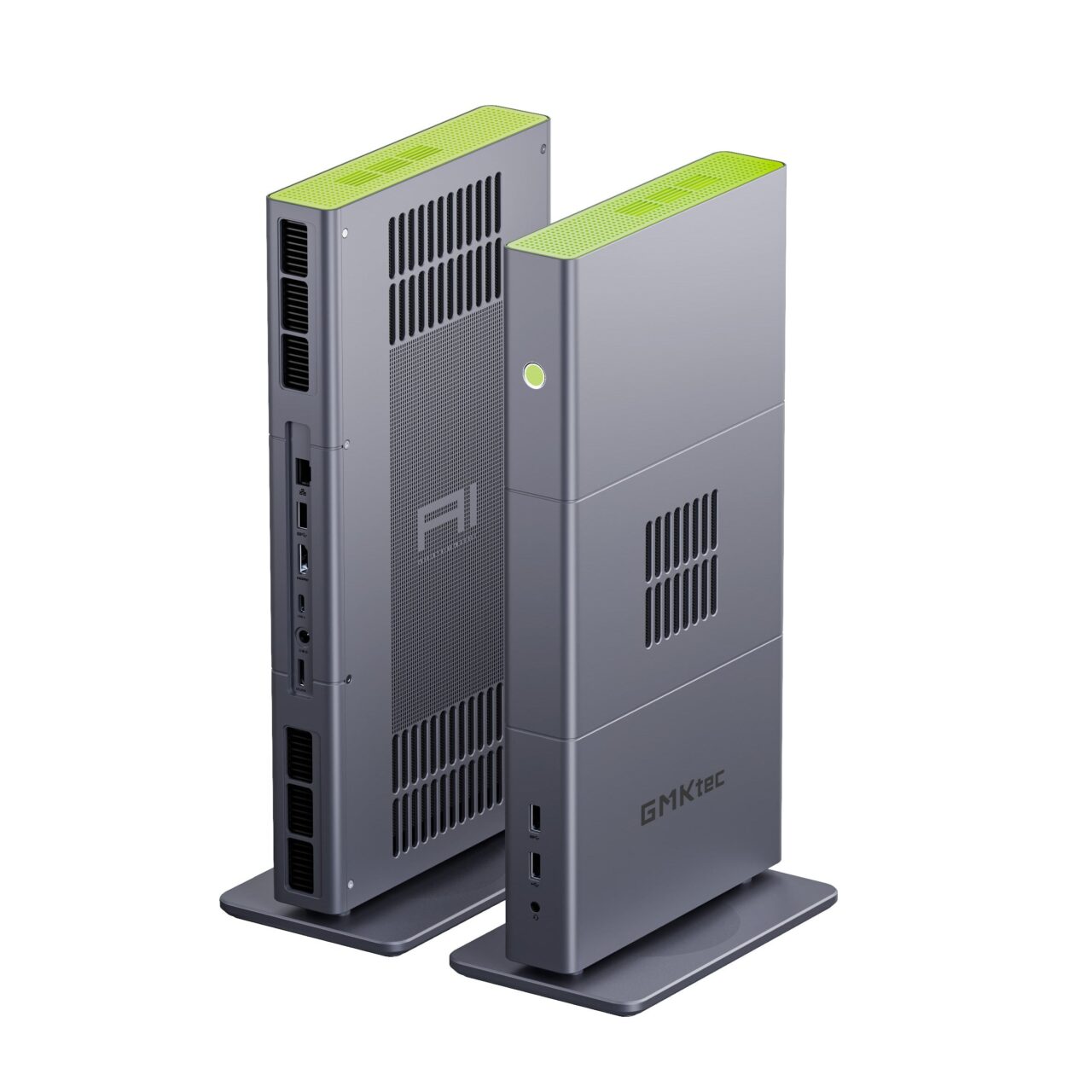
Image: GMKtec (official) — EVO-X3
- 1. The short answer: nearly identical inside, with a few differences
- 2. Specs side by side: what is the same, what is different
- 3. The one real addition: what is the OCuLink port for?
- 4. Chassis size: a tall box, or a slim wide slab
- 5. Why I read the AI performance as unchanged
- 6. So which one should you pick?
- 7. On price and the partner coupon
- 8. Conclusion: buy the X3 if you are buying new; don’t rush if you already own one
- 9. Sources
- 10. Products in this article
The short answer: nearly identical inside, with a few differences
Before the details, here is the gist. The EVO-X3 and EVO-X2 share the same brains — the CPU, the integrated GPU, and the amount and speed of memory are identical on paper. In other words, their real-world ability when running a local LLM (large language model: a text-generating AI like ChatGPT that you run on your own machine) is basically the same. What separates them comes down to roughly three points: the X3 gains an OCuLink port for an external GPU, in exchange it drops some USB ports and DisplayPort, and its chassis changes to a slim, wide shape. Memory speed and M.2 expandability are unchanged between the two.
Specs side by side: what is the same, what is different
Here are the published specifications, item by item. The highlighted rows are where they actually differ.
| Item | EVO-X2 (I own one) | EVO-X3 (pre-launch, researched) |
|---|---|---|
| CPU | Ryzen AI Max+ 395 (16 cores) | Same Ryzen AI Max+ 395 (16 cores) |
| Integrated GPU | Radeon 8060S (40 cores) | Same Radeon 8060S (40 cores) |
| Memory | 128GB LPDDR5X, 8000 MT/s | Same 128GB LPDDR5X, 8000 MT/s |
| Usable as VRAM | Up to 96GB | Same, up to 96GB |
| Storage | Dual M.2 slots (up to 16TB) | Same dual M.2 slots (up to 16TB) |
| Wireless | Wi-Fi 7 / Bluetooth 5.4 | Same Wi-Fi 7 / Bluetooth 5.4 |
| Power | 120W (140W peak) | Same 120W (140W peak) |
| OCuLink port | None | Yes (PCIe 4.0 ×4) |
| USB Type-C (USB4) | 2 ports | 1 port |
| USB-A | 5 ports (3 fast + 2 slow) | 3 ports |
| DisplayPort | 1.4 present | Dropped |
| HDMI / LAN / audio | HDMI 2.1, 2.5G LAN, 3.5mm | Same HDMI 2.1, 2.5G LAN, 3.5mm |
| Body size | approx. 193×186×77mm (tall box) | approx. 353×186×41mm, ~2.3kg (slim and wide) |
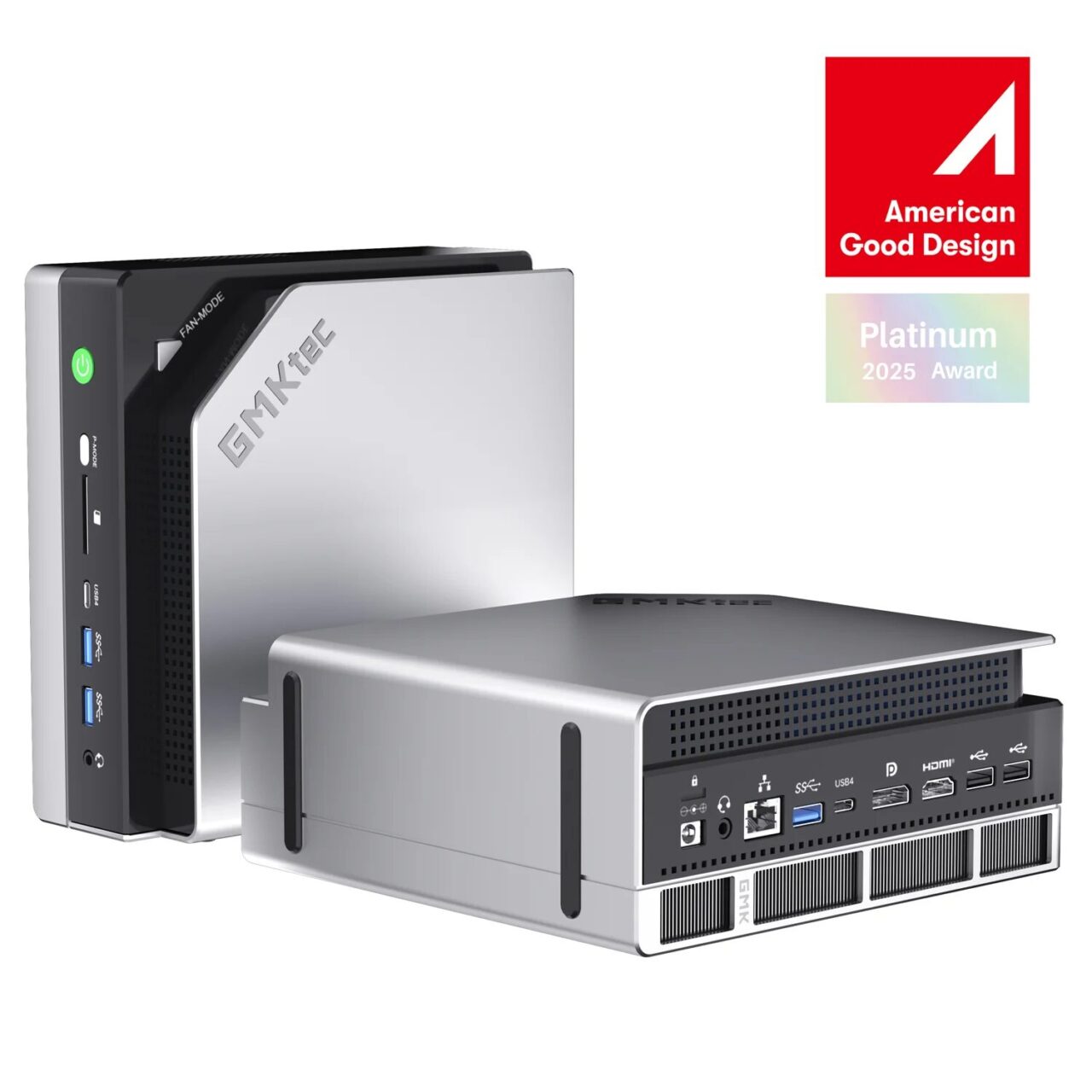
Image: GMKtec (official) — EVO-X2
Lined up like this, the brain-related rows all read “same." In marketing language the X3 is “a further evolved, higher-end model," yet the parts that matter for AI work — the chip and the amount and speed of memory — show no difference in the numbers. This is worth stating plainly.
What is actually surprising is the USB count. On the X3, USB Type-C drops from two to one, USB-A from five to three, and DisplayPort is gone. For anyone who plugs in a lot of peripherals, the X2 is the more convenient of the two — a reversal. The only thing the X3 genuinely adds is the OCuLink port described below. Internal expandability — the number of M.2 slots (two on both) and the maximum capacity (16TB) — is also identical.
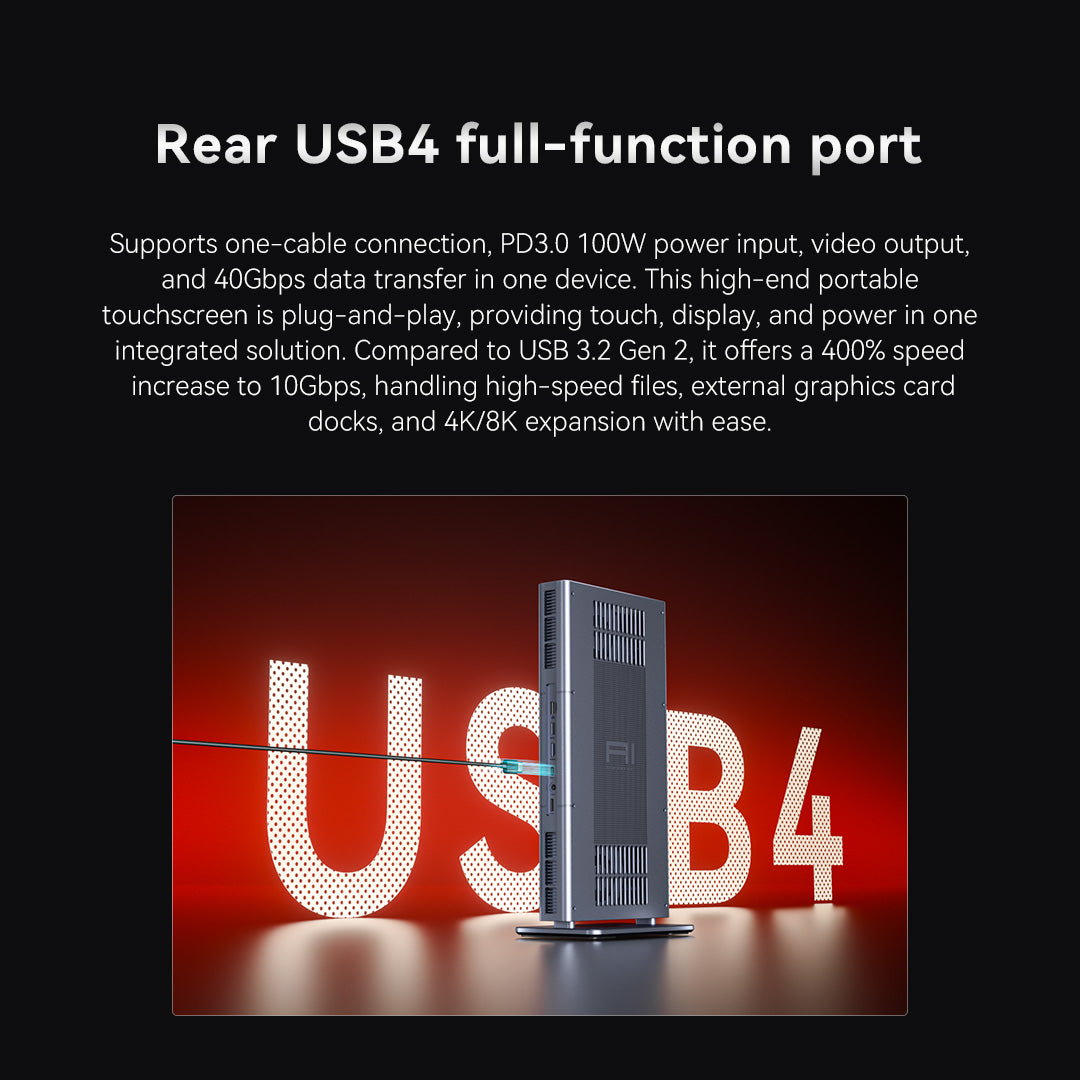
Image: GMKtec (official) — EVO-X3 ports
The one real addition: what is the OCuLink port for?
So what is that single addition, the OCuLink port? In a word, it is a dedicated doorway for connecting an external graphics card (external GPU, or eGPU). A mini PC cannot fit a powerful graphics card inside its small chassis. OCuLink lets you place a separate GPU outside the box and wire it in directly with a thick cable. Because it connects closer to the internal bus (PCIe) than USB does, it tends to keep speed loss low even for an external connection.
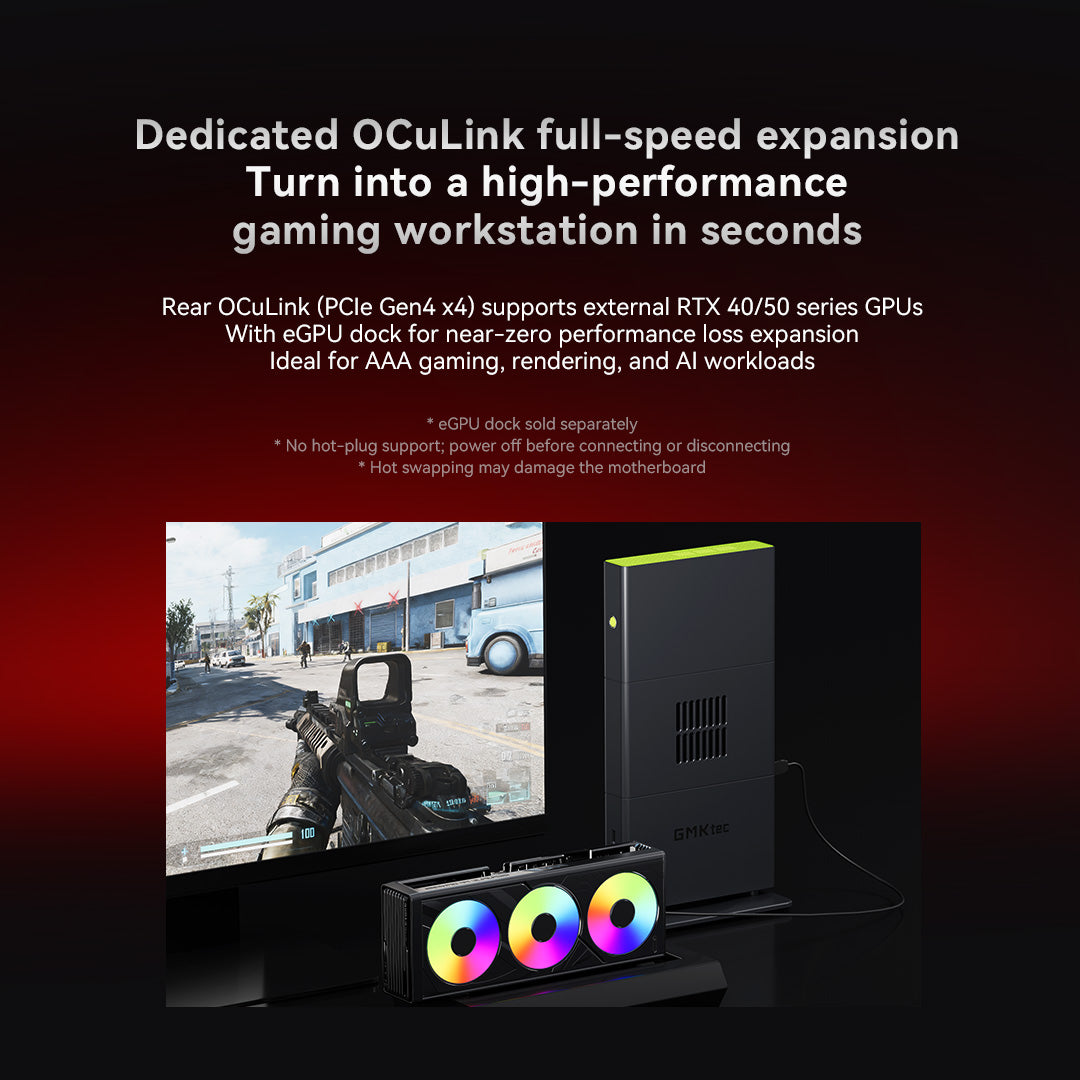
Image: GMKtec (official) — EVO-X3 OCuLink port
Radeon 8060S
128GB memory (up to 96GB to the GPU)
(PCIe 4.0 ×4)
This part is not something I tested on hardware; it is an explanation drawn from the specs and from typical setups (researched, as of July 2026). I do have an OCuLink expansion box and a graphics card on hand, and I plan to try that combination separately. When results are in, I will report them in another article.
Chassis size: a tall box, or a slim wide slab
One thing that is easy to overlook is the shape of the unit itself. The EVO-X2 is roughly 193×186×77mm — a tall little box that sits in your palm. The EVO-X3, by contrast, changes to roughly 353×186×41mm and about 2.3kg: a long, thin slab. It is about half the height of the X2, but its desk footprint is roughly double. If you want to lay it flat on a shelf or slide it under a monitor, the X3’s slim profile helps; if you need to stand it in a tight spot, the X2’s small box tucks away more easily. Neither is better in the abstract — you pick the one whose shape fits your space. That said, given that OCuLink lets you line up an external-GPU box beside it, the X3’s flat form does pair well with an expanded setup.
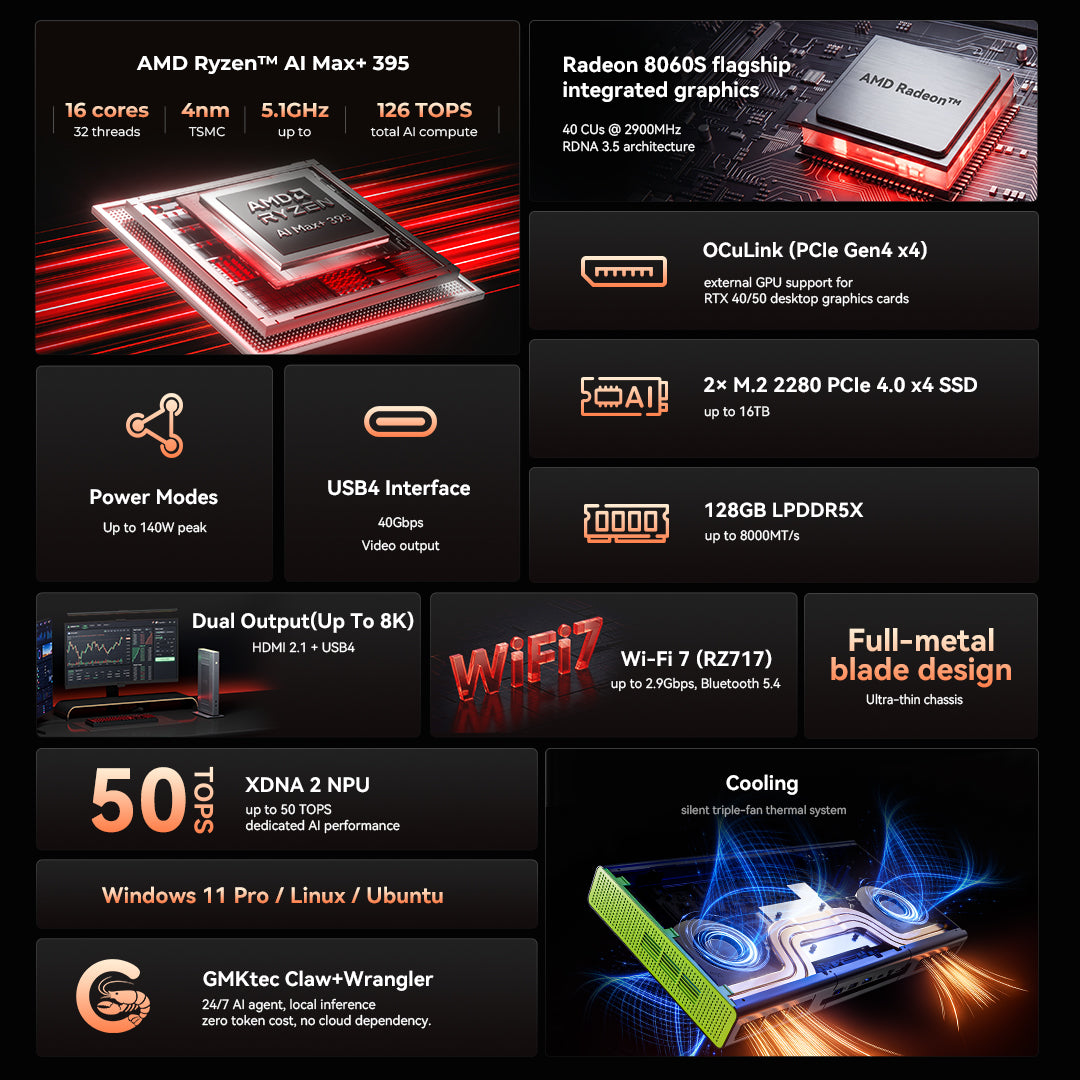
Image: GMKtec (official) — EVO-X3
Why I read the AI performance as unchanged
Saying “same brain, same performance" is a bit thin on its own, so here are numbers I actually measured on my EVO-X2. These are X2 figures, but since the X3 uses the same chip and the same memory, I treat them as a fair guide.
| Model run | Size | EVO-X2 measured generation speed |
|---|---|---|
| gpt-oss 120B (MoE: mixture of experts) | 65 GB | about 33 tokens/sec |
| Nemotron 120B (12B active, MoE) | 85 GB | about 20 tokens/sec |
| Qwen3 235B (very large model) | about 104 GB | about 18 tokens/sec |
A model in the hundred-billion range, writing text at around twenty tokens per second on a small box on your desk. That level is what I confirmed on the X2, and my expectation is that the X3 lands on the same figures. If you are choosing the X3 purely to run AI, the spec sheet shows no speed gain to justify the price difference. Detailed measurements of speed and reasoning are collected in my article testing whether bigger is smarter with eight puzzles on the EVO-X2 and my benchmark of running large models at home.
So which one should you pick?
Where you stand right now splits the answer cleanly.
| Your situation | The verdict |
|---|---|
| Buying new (currently considering the EVO-X2) | Reconsider toward the EVO-X3. The core ability is the same and the price gap is not large; if you are spending in this range anyway, pick the newer generation with an OCuLink port for an external GPU. The room to expand means you can keep using it longer, and its resale value should hold up better too. |
| Already own an EVO-X2-class machine | No need to force an upgrade. The brain and memory are identical, and there is almost no situation where you would feel a difference. OCuLink alone does not justify buying a second box. |
| You clearly plan to add an external GPU | The EVO-X3, no question. OCuLink is the prerequisite. |
As an Amazon Associate we earn from qualifying purchases.
In short: if you are still deciding, lean toward the EVO-X3; if you already have an X2-class machine, do not rush to switch. One caveat — the X3 has fewer USB ports and a larger desk footprint, so if you connect many peripherals or have limited space, check that point first.
On price and the partner coupon
At launch, the 2TB model is priced at ¥576,576 and the 4TB model at ¥616,456. The EVO-X2 (128GB/2TB) I bought cost about ¥520,000, so you can read the gap as roughly the price of the OCuLink port. This EVO-X3 is sold through GMKtec’s official direct store (reachable via the “GMKtec公式" button above). Because it is the official store, entering the limited-time coupon code “A8X301" at checkout takes ¥5,000 off (please confirm the coupon’s validity period and conditions on the sales page).
▼ Where to buy the EVO-X3 (check price on Amazon / Rakuten)

Conclusion: buy the X3 if you are buying new; don’t rush if you already own one
If I had to sum up the EVO-X3 in a line: it keeps the EVO-X2’s brain untouched, adds a single doorway — the OCuLink port — for an external GPU, and reshapes the chassis into a slim, wide slab. The raw ability to run AI is unchanged between the two. So the conclusion is simple. If you are still deciding whether to buy an EVO-X2, and the price band is the same, reconsider toward the EVO-X3. Because OCuLink leaves room to bolt on an external GPU later, you can keep working around it even once the built-in performance starts to feel tight — which means it stays useful longer, and a newer, expandable generation also tends to hold its resale value better. On the other hand, if you already own an EVO-X2-class machine, there is no need to force an upgrade: with the same internals, OCuLink alone is not worth buying a second box for. How far an external GPU actually gets you, I will report once I have tried it on my own OCuLink setup.
Sources
*The EVO-X3 was not in hand; its specs are based on public information. All generation speeds are my own measurements on the EVO-X2 (as of July 2026), not X3 figures. Prices and coupons are subject to change.