Running an RTX 5060 Ti on the GMKtec EVO-X2 Mini PC via OCuLink (eGPU)
I have been running large AI models on the “GMKtec EVO-X2 (hereafter EVO-X2)," a mini PC packed with a huge amount of memory. Raw generation speed, though, came out roughly in line with the bandwidth of its built-in GPU (AMD’s Radeon). What would happen if I added a dedicated GPU? With that in mind, I ran an external GPU (eGPU: a graphics card placed outside the PC) out of the mini PC’s M.2 slot via OCuLink (a high-speed connection standard that routes PCIe outside the case). The card I used was NVIDIA’s RTX 5060 Ti (16GB). I also compared it against the RTX 3090 and 3060 I run in my desktop. How much faster does bolting a card on the outside actually make a mini PC? And does it beat the built-in memory even on large models? This is mostly a write-up of hands-on measurements. (Hands-on work on the EVO-X2, as of July 2026)
- 1. The equipment and setup
- 2. Local LLM speed comparison vs. the built-in memory
- 3. Local LLM speed comparison vs. the RTX 3090 and RTX 3060
- 4. For large models, the built-in memory owns the stage
- 5. What this setup cannot tell you: why the numbers may move
- 6. Summary: the GMKtec EVO-X2 can be “expanded" too, with a bit of effort
- 7. Appendix: the flex-type M.2 adapter
- 8. Products in this article
The equipment and setup
Using an adapter in the mini PC’s M.2 slot (originally meant for an NVMe SSD), I connect it via an OCuLink cable to a graphics card in an external box.
The equipment I used
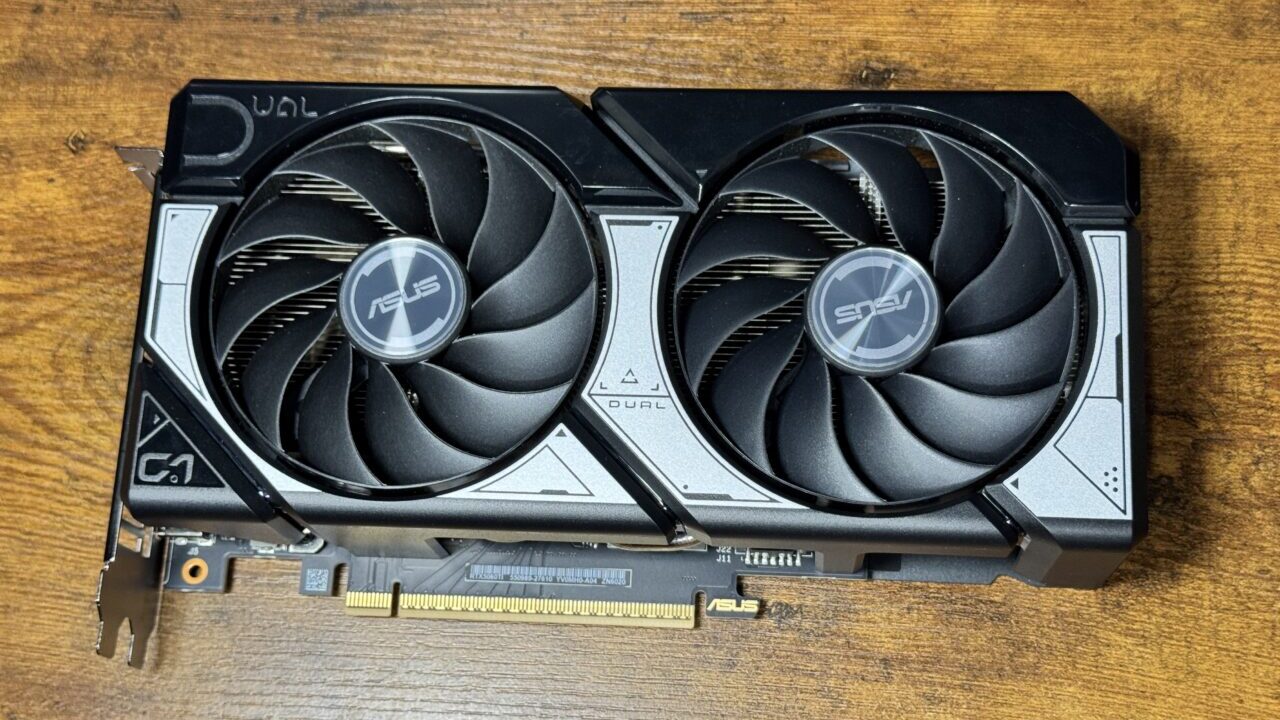
ASUS DUAL-RTX5060TI-O16G
Among the RTX 5060 Ti variants, I chose the model with 16GB of memory.
As an Amazon Associate we earn from qualifying purchases.
AOOSTAR AG01 eGPU dock docking station
I chose a docking station with a built-in power supply.
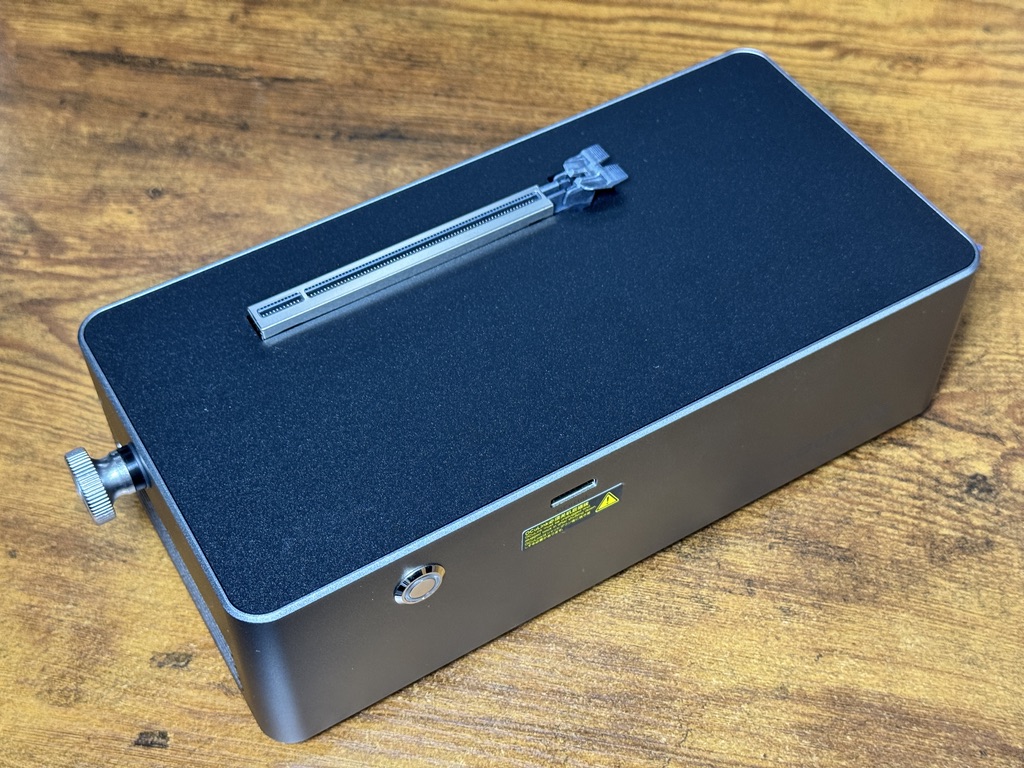
The exterior is very simple.
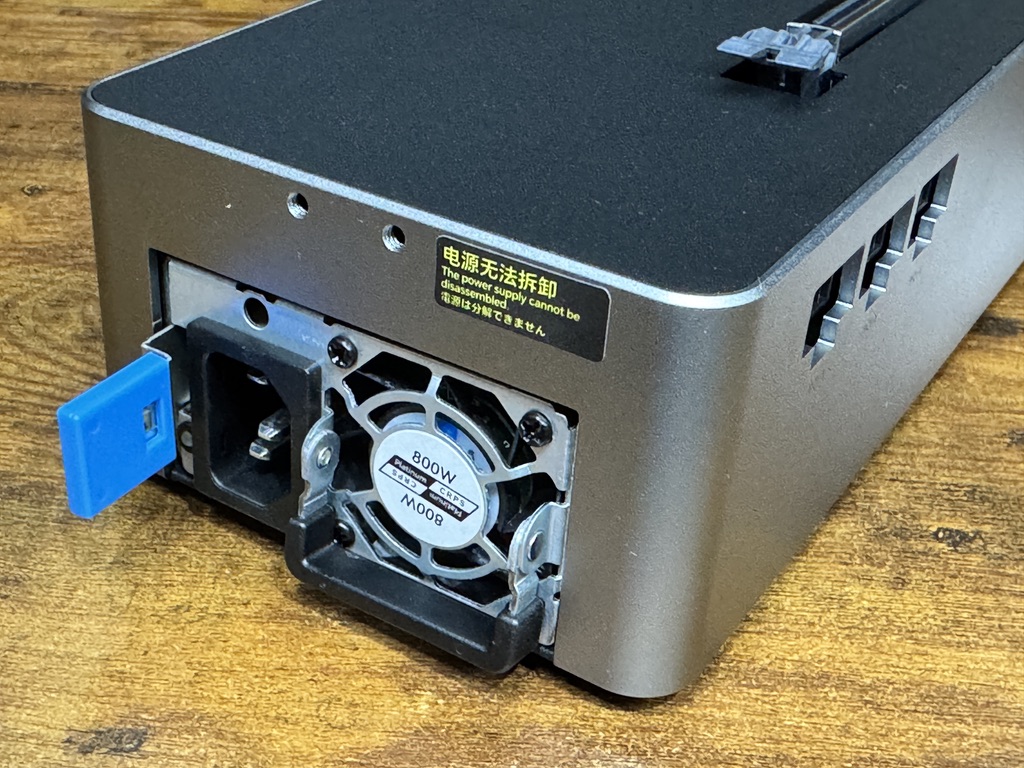
It has a built-in power supply rated up to 800W. As a general rule, power supplies are recommended to be used up to about half their capacity, but with this much output, most GPUs should run fine.
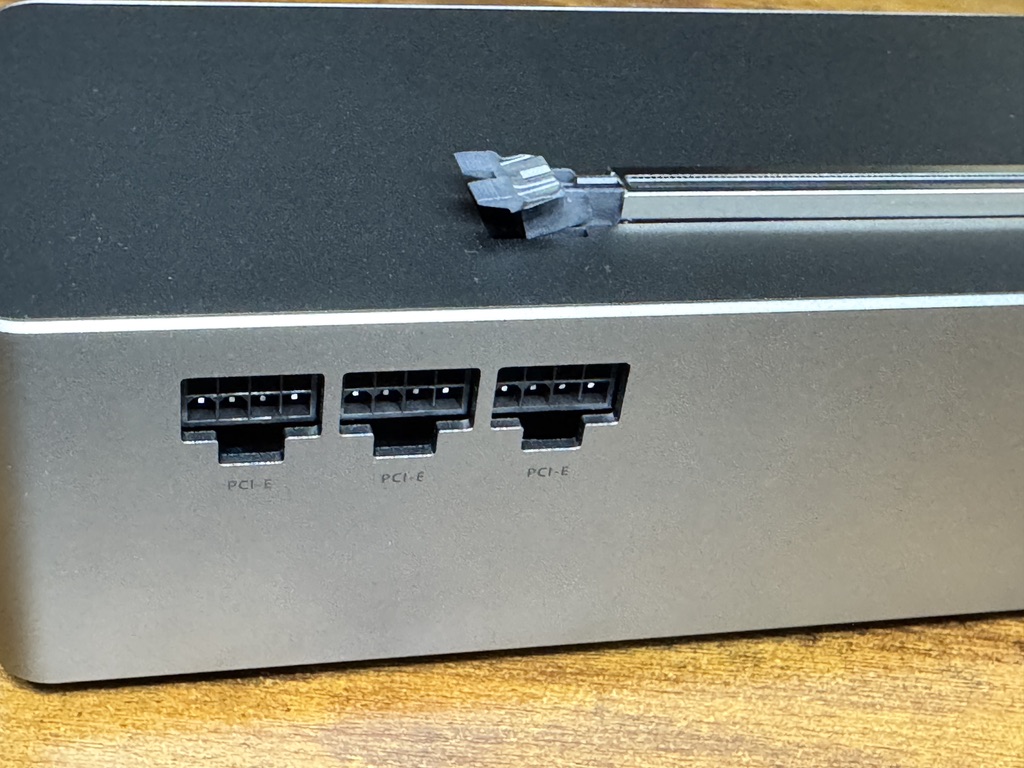
The back has three power connectors.
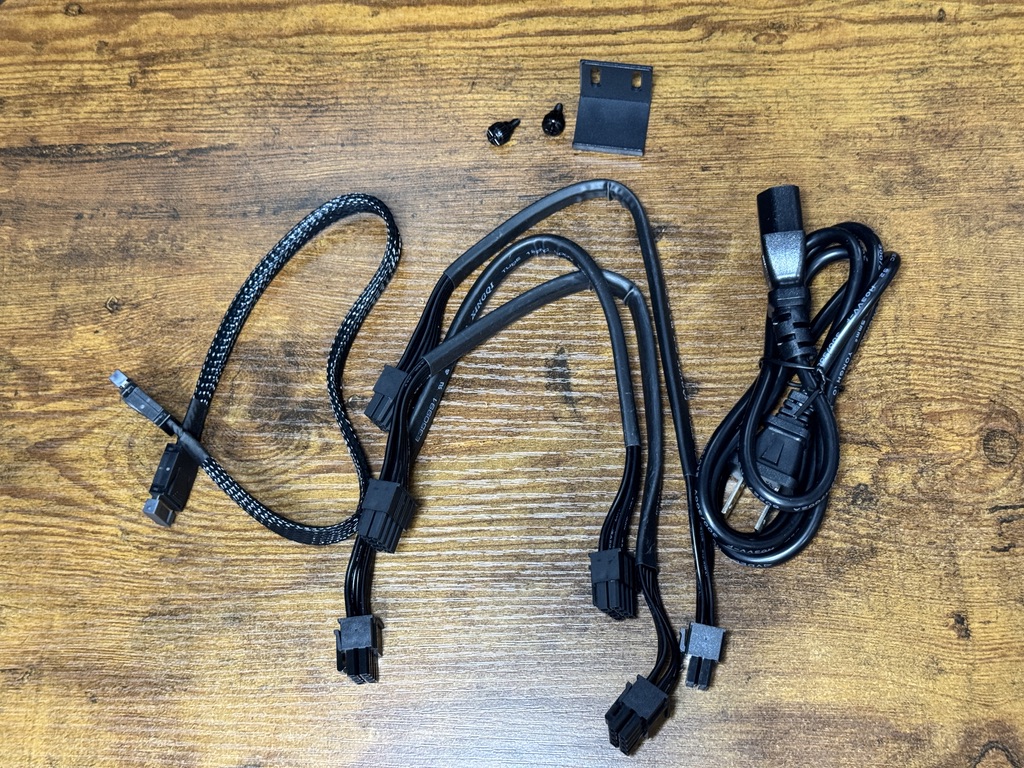
Inside were three power cables, one OCuLink cable, and a bracket for large GPUs.
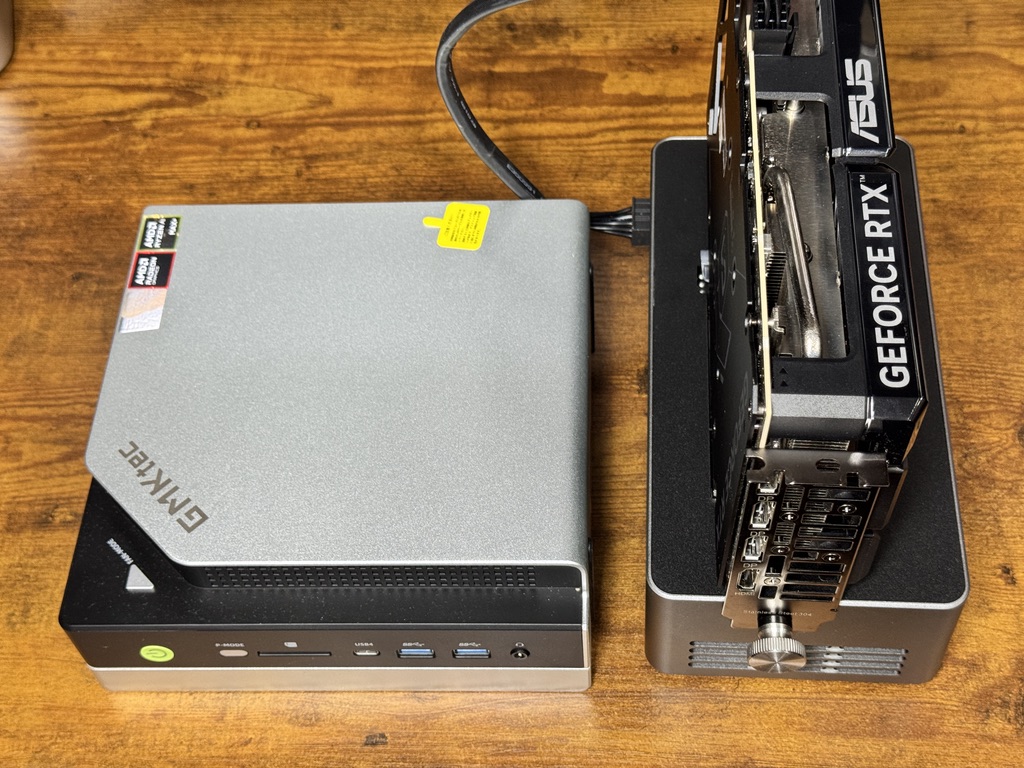
Here is the RTX 5060 Ti installed. It all comes together compactly.
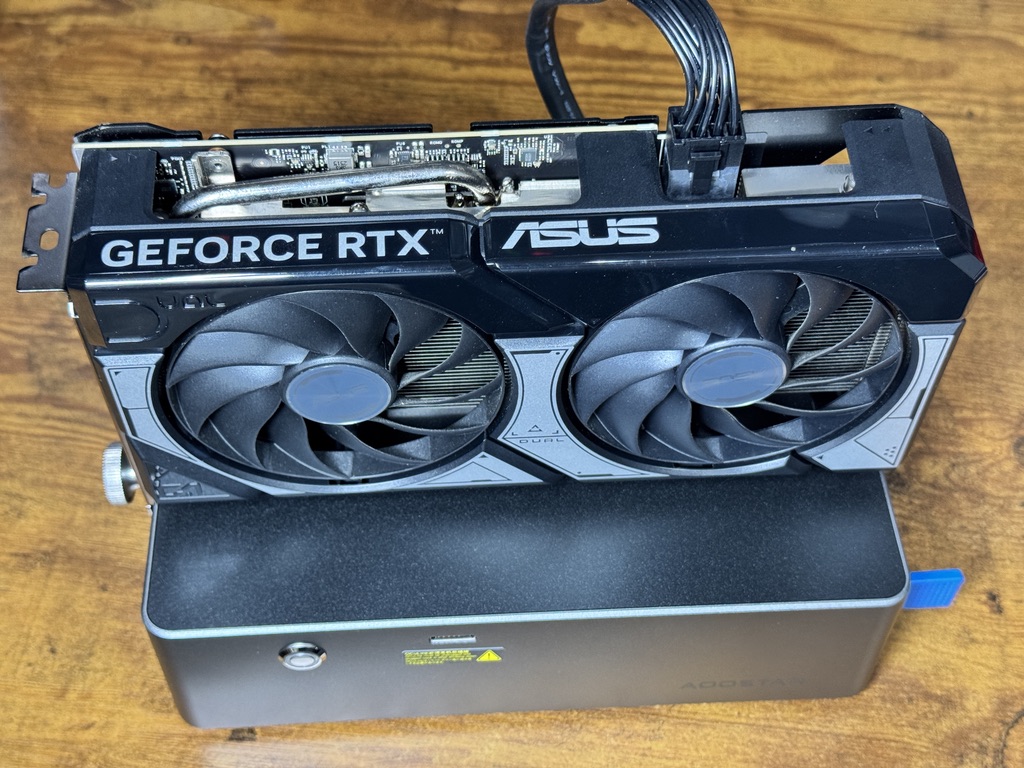
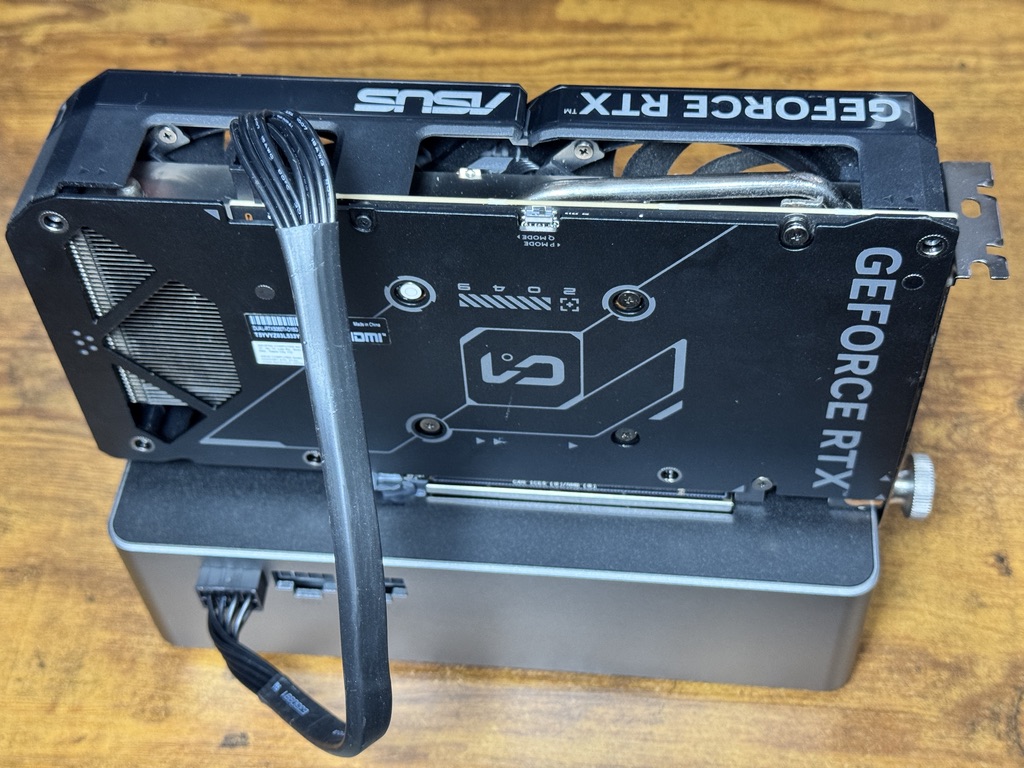
Just slot in the GPU and connect the power, and it is ready to boot.
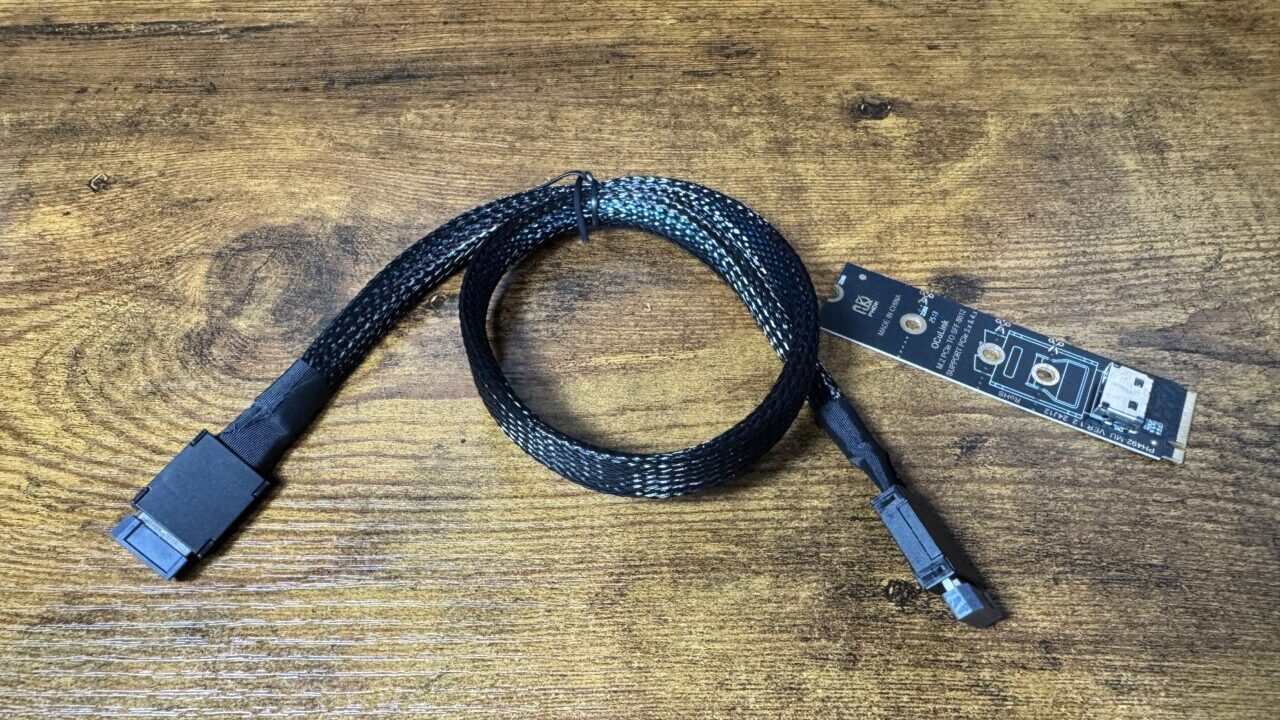
M.2 M-Key / OCuLink conversion adapter
This is a conversion adapter that brings out an OCuLink port from an M.2 port.
Opening up the GMKtec EVO-X2
This time, I take the approach of inserting an adapter into the internal M.2 port of the GMKtec EVO-X2 to add an OCuLink port.
You can easily access the GMKtec EVO-X2’s M.2 port by removing the metal cover.
Removing the cover is easy too. Just peel off the two plastic parts shown in the photo below, and remove the four screws underneath them.
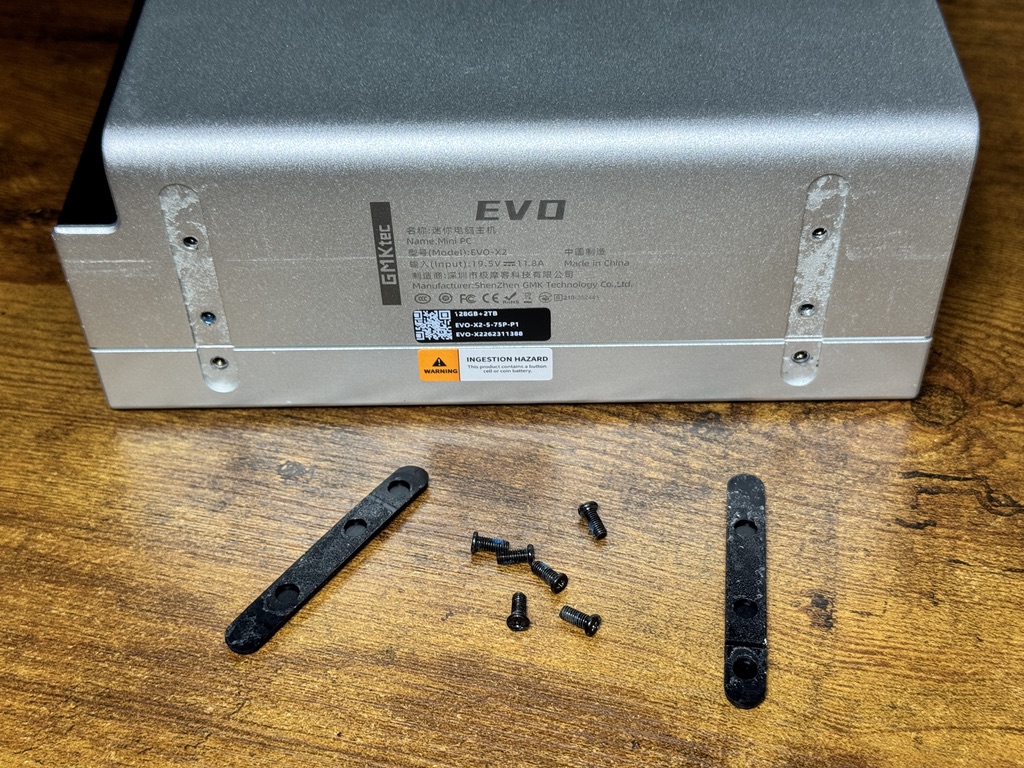
In the photo I ended up removing six screws, but the cover comes off if you just remove two screws each on the left and right of the upper piece (the larger metal side), for four screws total.
Once the cover is off, two M.2 ports appear near the screws.
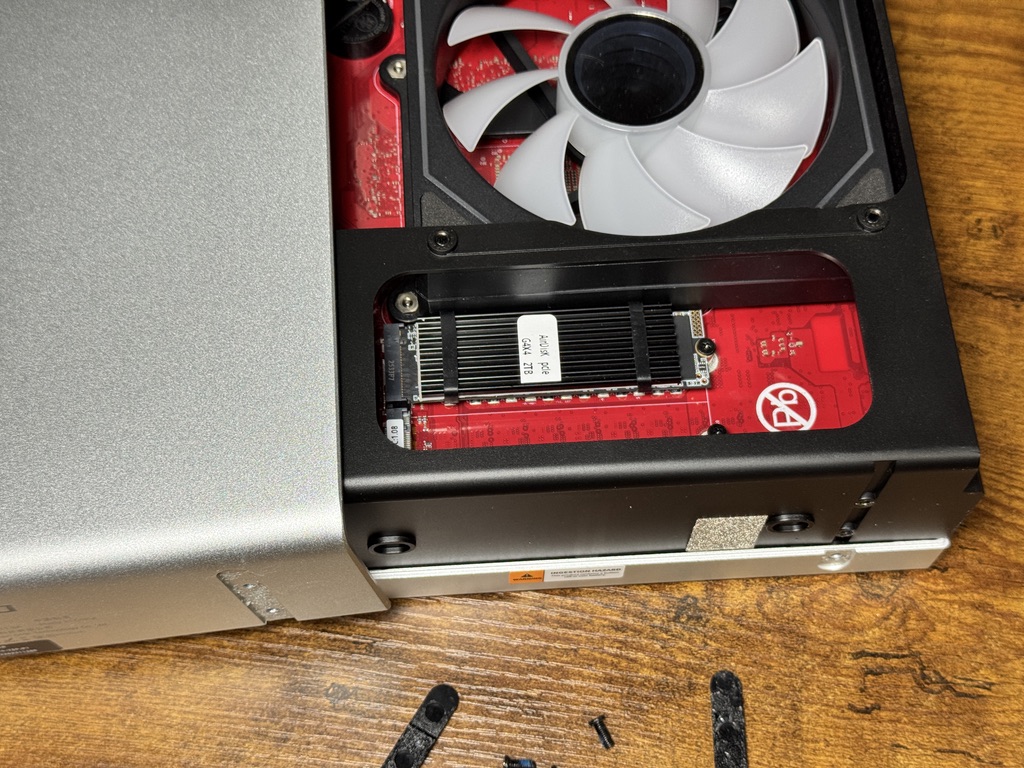
Here, I attach the M.2/OCuLink adapter I prepared and plug in the cable.
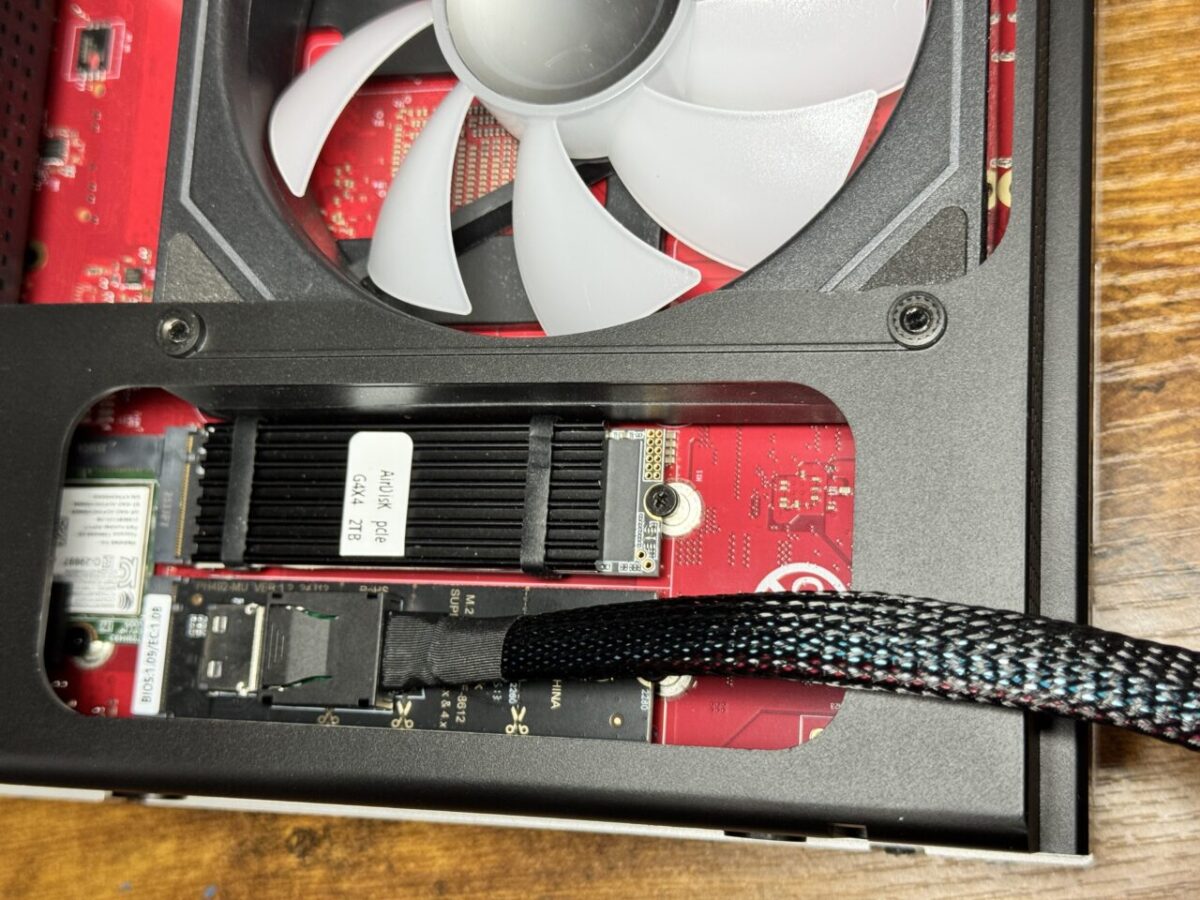
Unfortunately, with the adapter I prepared, the OCuLink cable gets in the way and the cover cannot be closed. Some kind of modification is needed, or it may be better to prepare a different adapter.
Booting up
Once the connections are done, power it on. Turn on the OCuLink docking station first, then turn on the GMKtec EVO-X2. Since this is external, note that the two are not power-linked.
On boot, the PC recognized the RTX 5060 Ti without any fuss. The OS, by the way, is Ubuntu.
| Item | Measured |
|---|---|
| Recognition | Appears on the PCI bus as an RTX 5060 Ti (coexists with the built-in Radeon) |
| Link speed | PCIe Gen4 x4 (about 8GB/s) = exactly as specified for OCuLink |
| Driver | Recognized on nvidia-driver 595 (open kernel version), runs on CUDA |
| VRAM / power limit | 16GB / 180W (about 19W at idle) |
About getting the RTX 5060 Ti recognized
This was one point where I stumbled, so I will leave a detailed note.
The 5060 Ti is a Blackwell-generation card. When ollama (the inference engine) looks for the GPU, initializing CUDA (NVIDIA’s compute platform) takes time. ollama has a watchdog (a timeout check) that gives up on GPU detection after a dozen or so seconds, and with the defaults, on the first run this initialization does not finish in time, so it gives up on CUDA and switches over to Vulkan (a different path). And in the Vulkan state, ollama prioritizes the built-in Radeon, so the 5060 Ti goes unused despite all the effort. That was the initial situation.
What I did was simple: I just waited until CUDA finished initializing, then restarted ollama. Once you get past that first CUDA initialization (at which point the 5060 Ti is recognized as a CUDA device with compute capability 12.0), it comes up in a few seconds the second time and after, and from then on ollama automatically sorts things out as “models that fit in 16GB go to the 5060 Ti, models that exceed it go to the built-in Radeon." No special configuration change is needed; it is just that “with the defaults, the first run cannot wait out the initialization and escapes to Vulkan, so restart until it grabs CUDA." If you want to completely disable the built-in Radeon and use only the 5060 Ti, there is also the option of passing the environment variable ROCR_VISIBLE_DEVICES=-1 when starting ollama (the speed measurements in this article use this method to separate it from the built-in GPU).
I will leave a record of the commands I actually ran. The host is Ubuntu, and the inference engine is ollama.
1. Get the GPU recognized (install the driver)
# Check whether the external GPU is visible on PCI
lspci | grep -i nvidia

# Check the recommended driver
ubuntu-drivers devices

# Install the recommended driver (this time, the 595 open kernel version)
sudo ubuntu-drivers install nvidia:595-open

# Reboot to apply
sudo reboot

# After reboot, check recognition and link speed (is OCuLink Gen4 x4?)
nvidia-smi
nvidia-smi --query-gpu=pcie.link.gen.current,pcie.link.width.current --format=csv
2. Revert (remove the driver and return to the pre-install state)
sudo apt-get purge 'nvidia-driver-*'
sudo apt-get autoremove --purge
sudo reboot
3. Switch which GPU is used (external RTX 5060 Ti ⇄ built-in Radeon)
If CUDA works correctly, ollama automatically picks “the 5060 Ti for models that fit, the built-in for large models," but when you want to explicitly pin it, you switch via the service’s environment variables.
# Use only the external 5060 Ti (hide the built-in Radeon)
sudo systemctl edit ollama
#   ↑ In the file that opens, add the following one line under [Service] and save:
#   Environment="ROCR_VISIBLE_DEVICES=-1"
sudo systemctl restart ollama

# Use only the built-in Radeon (hide the external NVIDIA)
#   Set  Environment="CUDA_VISIBLE_DEVICES="  and restart

# Return to automatic selection (default)
#   Delete the Environment= line you added above and save → restart
sudo systemctl restart ollama

# Check which GPU it is running on (from another terminal during inference)
nvidia-smi # If the 5060 Ti's utilization and power are up, it is running on the NVIDIA sideLocal LLM speed comparison vs. the built-in memory
Now for the main point: speed. I ran models up to mid-size that fit within the 16GB of VRAM, comparing the external 5060 Ti against the built-in Radeon. These are generated tokens per second.
| Model | External RTX 5060 Ti | Built-in Radeon 8060S |
|---|---|---|
| Qwen3 14B | about 45 tok/s | about 23 tok/s |
| Qwen3 8B | about 78 tok/s | about 40 tok/s |
| Ornith 9B | about 69 tok/s | — |
| phi-4 mini (3.8B) | about 133 tok/s | — |
For sizes that fit, the external 5060 Ti ran at roughly twice the speed of the built-in GPU. The bandwidth of its fast GDDR7 memory shows through directly. Under load, power draw rose to around 150W (with a 180W limit) and utilization hit 99%. The numbers show the GPU was genuinely giving it everything. And now that CUDA is working, the inference engine is smart enough to automatically pick the 5060 Ti when a model fits in 16GB, and the built-in when it does not. With no configuration, it lands on the faster option.
Local LLM speed comparison vs. the RTX 3090 and RTX 3060
I also measured the same models on the RTX 3090 (24GB) and RTX 3060 (12GB) in my desktop, and lined up all three. The hosts differ (the 3090 and 3060 are in a separate desktop, and the 5060 Ti is external on the mini PC), so it is not a strictly identical setup, but since generation speed is determined by memory bandwidth once a model is loaded, this should still give a fair comparison of the cards themselves.
| Model | RTX 3090 (24GB/350W) | RTX 5060 Ti (16GB/180W, eGPU) | RTX 3060 (12GB/170W) |
|---|---|---|---|
| phi-4 mini | 173 | 133 | 97 |
| Qwen3 8B | 128 | 78 | 61 |
| Ornith 9B | 97 | 69 | 49 |
| Qwen3 14B | 77 | 45 | 35 |
The ranking is 3090 > 5060 Ti > 3060. Generation speed follows the exact order of memory bandwidth: about 936GB/s for the 3090, about 448GB/s for the 5060 Ti, and about 360GB/s for the 3060. The reason a 2020 3090 is faster than a 2025 5060 Ti is that bandwidth decides everything. On the other hand, the 5060 Ti is power-efficient at 180W, and in speed per watt (tokens per watt) it actually beats the 350W 3090. It lined up as the 3090 for speed, the 5060 Ti for power efficiency, and the 3060 for price.
For large models, the built-in memory owns the stage
Having gotten a satisfying 2x, I tried running a 70-billion-parameter class model (Llama 3.3 70B, about 42GB) on the 5060 Ti too. But this one would not even start. Naturally so: a 42GB model will not fit in 16GB of VRAM. In a configuration that uses only the external GPU, the overflow has nowhere to go, so it does not run. The built-in GPU, on the other hand, can use 122GB of unified memory (a large pool of memory shared by the CPU and GPU), so 70B runs without trouble.
In other words, the two are less rivals than a division of labor. Up to mid-size models that fit in 16GB, the external 5060 Ti is faster. For the huge models beyond that, only the large-memory built-in GPU can run them. The external one for speed, the built-in one for capacity: that split showed up directly in the hands-on results.
What this setup cannot tell you: why the numbers may move
The figures here only hold under the following conditions.
- The RTX 5060 Ti is a Blackwell-generation card, and software support is still catching up. Driver and inference-engine updates can move these numbers
- The RTX 3090 and RTX 3060 were measured on a separate desktop. Everything other than the GPU differs, so machine-to-machine variation is mixed in
- Power figures are for the GPU alone (nvidia-smi), not the whole machine
- Every measurement was taken with the board-only, direct-connect adapter. The flex-cable type was not stable, so the same numbers are not guaranteed with it
- Thunderbolt was not tested here. This article only compares over OCuLink
Summary: the GMKtec EVO-X2 can be “expanded" too, with a bit of effort
When people talk about the GMKtec EVO-X2, the 128GB of memory tends to get all the attention, but the fact that this time, if you are willing, you can add an external GPU is significant. Expandability is a structural weak point of mini PCs, but with OCuLink there is a route to connect an external GPU, and this showed the potential to expand it with a bit of ingenuity. On the speed side too, a model that fits in 16GB runs at roughly twice the built-in speed, and it slots neatly between the 3090 and the 3060 while staying power-efficient. The division of labor also became clear: huge models on the built-in large memory, up to mid-size on the external GPU.
That said, points remain to be worked out in how you connect it. This time I drew it out of the M.2 slot, so the conversion adapter had to be a rigid board-mounted type (the flex type was unstable, as described later), and getting the cable outside realistically makes modifying the case hard to avoid. In terms of ease, it still takes an extra bit of work.
Finally, you could say this configuration is a pseudo-preview of the next-generation GMKtec EVO-X3 (hereafter EVO-X3). The EVO-X3 is expected to come with OCuLink as standard, letting you connect an external GPU without opening the cover. Stretching the imagination further, if you add conversions on top of the proper OCuLink for as many M.2 ports as there are, it could even become a “freak" mini PC with multiple GPUs connected. How far can a form that combines large memory and an external GPU go? I would like to find out next with the EVO-X3.

 https://kimono-oyaji.com/evox3-vs-evox2/
▼ The next-generation machine that comes with OCuLink as standard: GMKtec EVO-X3
Appendix: the flex-type M.2 adapter
Actually, before I got here, I stumbled once.
The first M.2→OCuLink conversion I used was the one in the photo below.
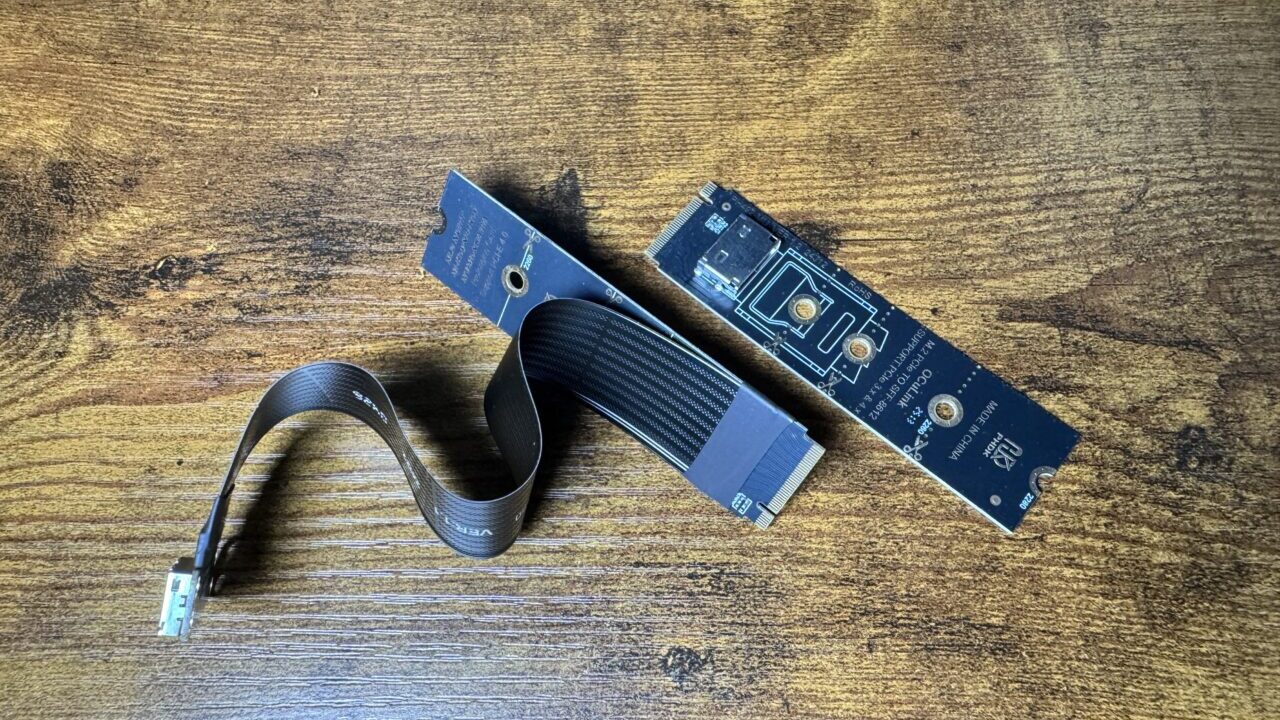
It is a flex-cable (thin flat cable) type, and I bought it thinking that if this worked, I could route the OCuLink port outside without modifying the GMKtec EVO-X2’s case.
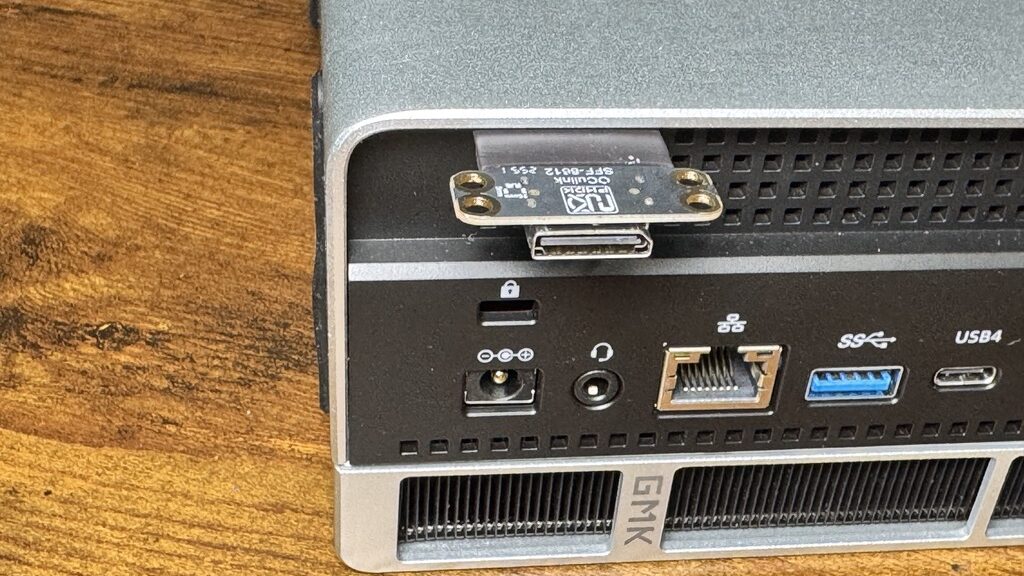
As in the photo, unstable as it was, I did manage to route the OCuLink port out through the gap between the case and the cover.
However, with this configuration, once booted and put under load, the GPU would stop responding within 1–2 minutes (dropping off the bus), and rebooting while still connected made even booting itself dicey. PCIe Gen4 is a high-speed signal at 16 gigabits per second, and quality tends to degrade when you insert even a single extra cable. When I switched to the board-only, direct-connect type adapter used in this article, it settled down perfectly, and all the measurements above were taken with that one. For anyone about to try this, choosing a board-mounted direct-connect adapter is the safer bet.
*The EVO-X2 (Ryzen AI Max+ 395 / 122GB unified memory) with an RTX 5060 Ti (16GB) connected via M.2→OCuLink (PCIe Gen4 x4). The 3090 and 3060 were measured on a separate desktop. The inference engine is ollama, with NVIDIA driver 595. Generation speeds are hands-on measurements at temperature 0 with the same prompt (July 2026). Since the 5060 Ti is a Blackwell-generation card and software support is still maturing, the figures may change with future driver and inference-engine updates. Power figures are for the GPU alone (nvidia-smi).