Running a 235B Model on a Mini PC — The Settings Traps on the GMKtec EVO-X2
Once a mini PC with a lot of memory arrives, the first thing you want to try is running a large AI model at home rather than leaning on the cloud. The machine is a GMKtec EVO-X2 (from here on, EVO-X2), a mini PC carrying 128GB of unified memory (a design where CPU and GPU share one pool of memory). It is about one size up from a Mac mini. Loading a genuinely large model onto it, though, did not go the way I expected. Chasing the cause turned up a trap in the settings and the right way out of it. By the end, a 235B model — 235 billion parameters, an enormous thing — was running at a usable speed inside that small box. (Measured on the actual machine, June 2026)
- 1. The machine
- 2. EVO-X2 specifications
- 3. The stumble: assuming more VRAM must be better
- 4. The cause: the memory estimate was dragged down by starved system memory
- 5. The right design: minimum dedicated VRAM, memory handed over dynamically
- 6. The last wall: the memory ceiling has three layers
- 7. Result: a 235B model ran at a usable speed in this small box
- 8. Takeaways: three lessons that should save someone else time
- 9. Sources
The machine
| Model | GMKtec EVO-X2 |
| APU | Ryzen AI Max+ 395 (Strix Halo, Zen 5) |
| GPU | Radeon 8060S (RDNA 3.5, 40 cores) |
| Memory | 128GB (unified) |
| OS | Ubuntu |
I bought the EVO-X2 myself, through a Japanese retailer running a 20% coupon at the time.
GMKtec EVO-X2 (Ryzen AI Max+ 395 / 128GB / 2TB):Amazon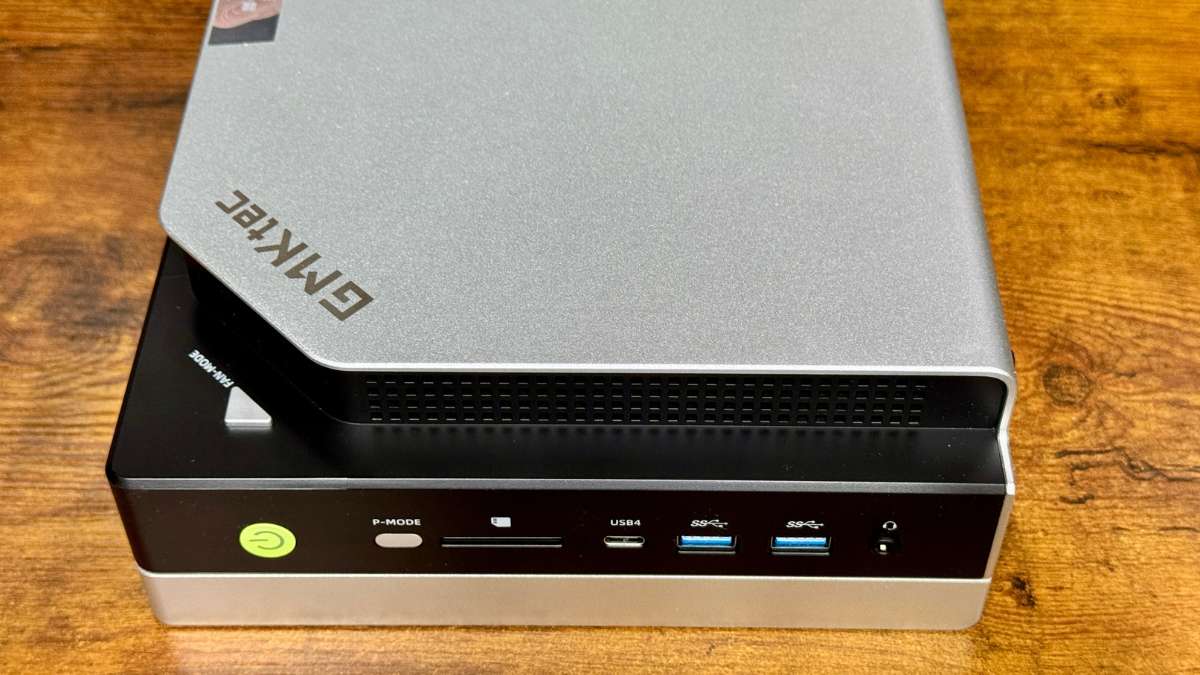
Picking it up, it is cool to the touch — the chassis is metal.
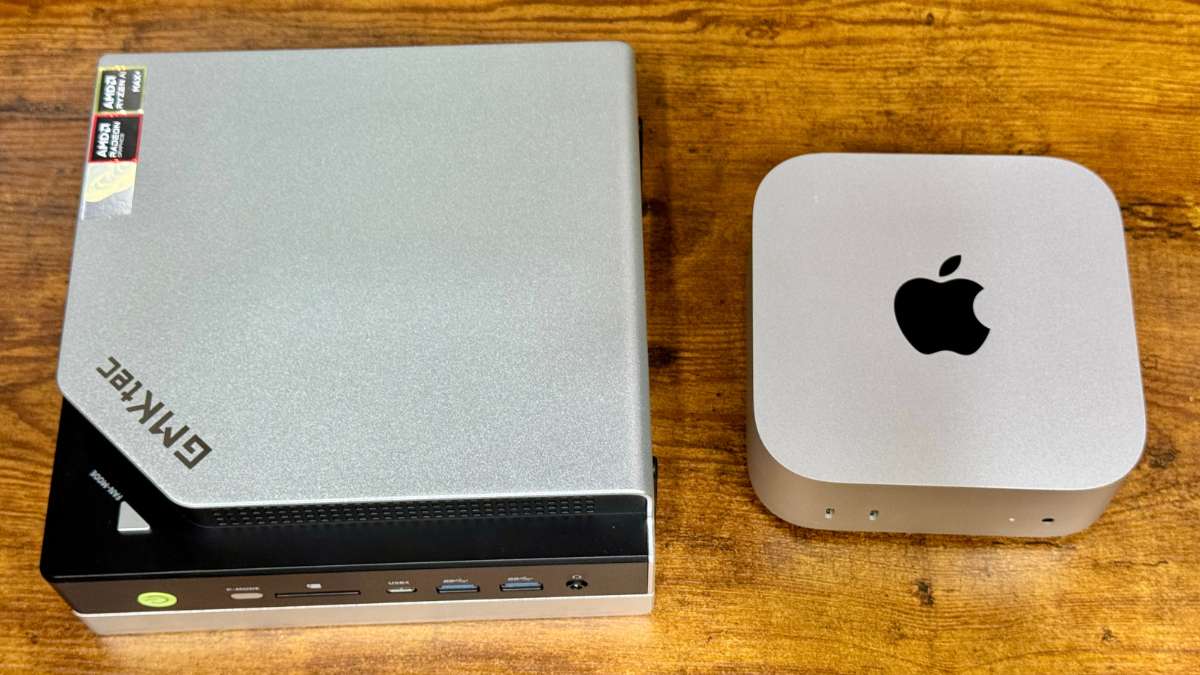
Next to a Mac mini M4 it is one size larger.
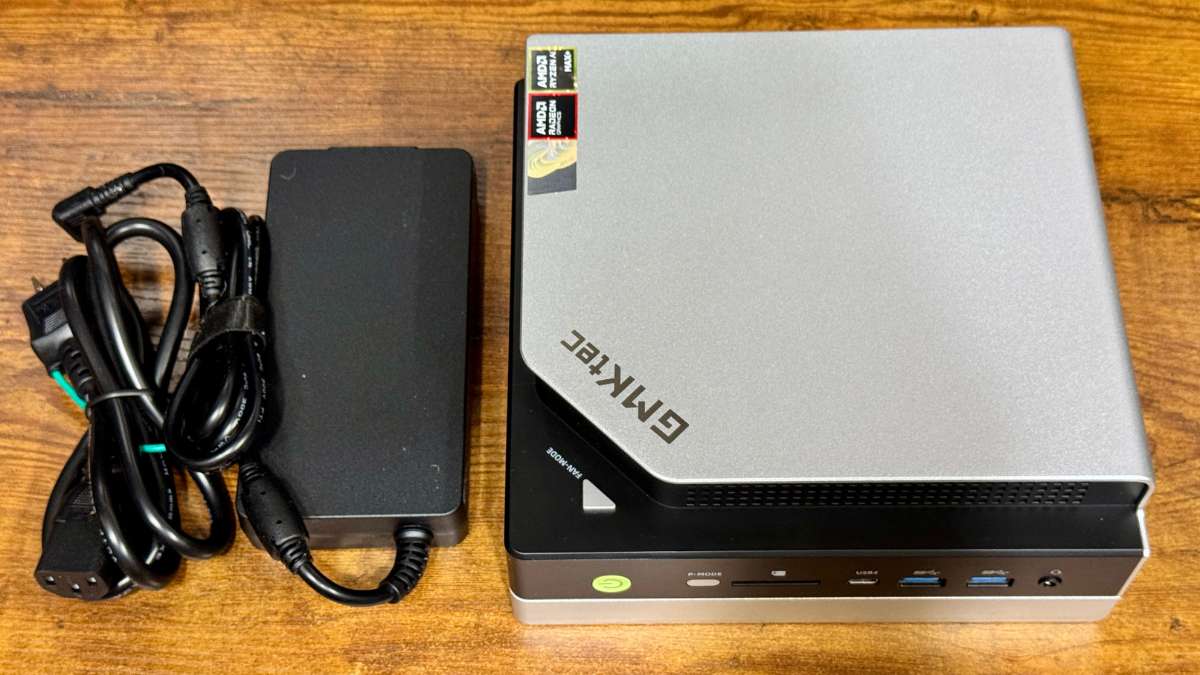
There is also an AC adapter in the box, so it takes up a fair amount of desk space in total.
That adapter is rated at 230W. The EVO-X2 itself is rated at 140W, so the supply looks deliberately oversized for headroom.
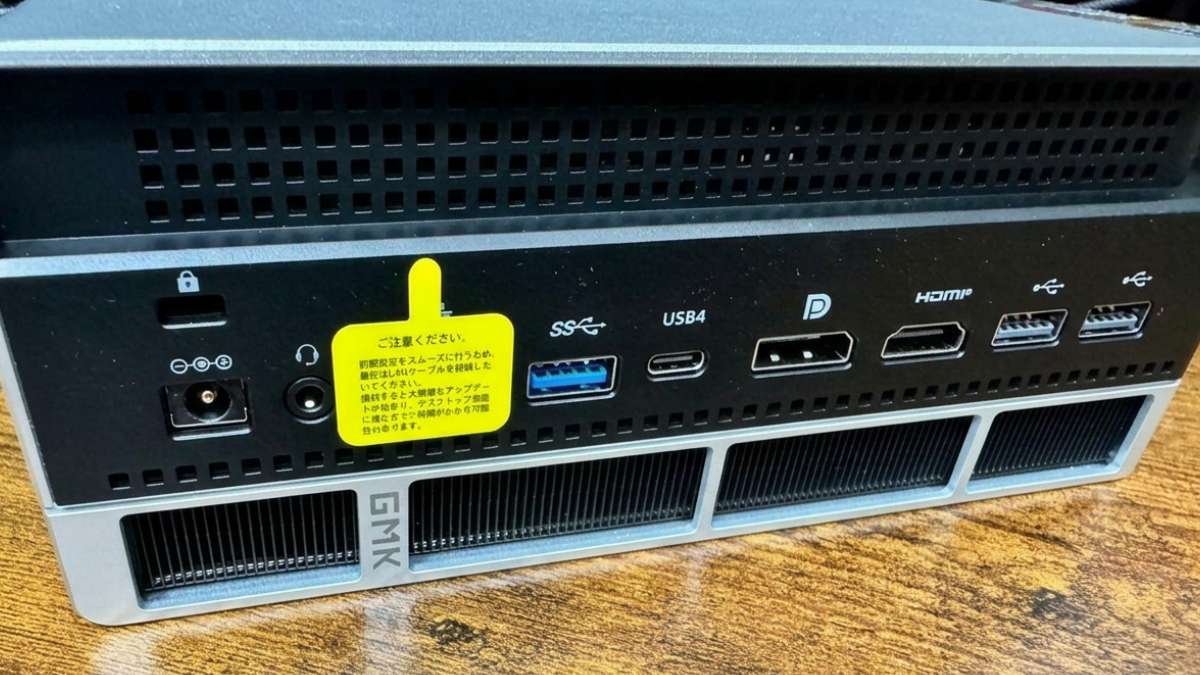
Low on the back of the chassis there are corrugated fins of the sort used in radiators. That is presumably where the surprising weight comes from. In use you can feel the hot air leaving through them. They would bend if you pressed on them, so they want handling with care.
EVO-X2 specifications
A summary of what is inside the machine used here. At its heart is AMD’s Ryzen AI Max+ 395 (code name Strix Halo), an SoC combining CPU, GPU and NPU, whose defining feature is that 128GB of memory is shared between the system and graphics.
| Item | Detail |
|---|---|
| SoC | AMD Ryzen AI Max+ 395 (Strix Halo, Zen 5) |
| CPU | 16 cores / 32 threads (up to 5.1GHz) |
| GPU | Radeon 8060S (RDNA 3.5, 40 cores) |
| NPU | XDNA 2, up to 50 TOPS (about 126 TOPS in total including CPU/GPU) |
| Memory | 128GB LPDDR5X-8000 (256-bit, about 256GB/s, unified) |
| Storage | 2TB NVMe SSD |
| Power | Rated about 140W (adjustable 45–120W) |
| OS | Windows / Linux |
| Size | One size larger than a Mac mini |
Manufacturer specifications, checked June 2026. Of these, the two that decide generation speed are the roughly 256GB/s of memory bandwidth and the 128GB of capacity.
GMKtec EVO-X2 (Ryzen AI Max+ 395 / 128GB / 2TB)128GB unified memory mini PC
As an Amazon Associate we earn from qualifying purchases.
Now to the point. Making use of that 128GB is exactly where I came unstuck.
The stumble: assuming more VRAM must be better
The first thing I did was go into the BIOS (the hardware settings screen you can open at boot) and give the integrated GPU its maximum dedicated memory (VRAM): 96GB. The instinct being that more VRAM means bigger models fit. It backfired.
Pinning 96GB of the 128GB as VRAM left system memory down at 32GB. Load a 70B-class model (about 44GB) in that state and, despite having 96GB of VRAM, more than half of it gets pushed out to the CPU. Generation fell to around 3 tokens per second — roughly three words a second — which is nowhere near usable. Worse, downloading a model while measuring at the same time set the system memory cache fighting itself, and the machine ended up reading the model off disk endlessly.
The cause: the memory estimate was dragged down by starved system memory
Digging into it, the inference software for the integrated GPU was estimating “free GPU memory" in a way that followed free system memory, deciding large models would not fit, and offloading them to the CPU. The more dedicated VRAM you carve out, the thinner system memory gets and the worse that misjudgement becomes. Maximising VRAM was itself the problem.
The right design: minimum dedicated VRAM, memory handed over dynamically
On a unified-memory machine the memory is physically one pool. The GPU can reach all of it at the same bandwidth, so there is no cliff where you spill out of VRAM into system memory. The key was not to pin dedicated VRAM at all. The established practice in the guides published abroad says the same, and it comes down to three things.
| Item | Wrong (my first attempt) | Correct setting |
|---|---|---|
| BIOS dedicated VRAM | Pinned at 96GB | Minimum (1GB) |
| GPU compute memory | Automatic (small) | Kernel setting allowing up to about 115GB dynamically |
| How the model is loaded | Default (mmap) | Memory mapping disabled |
With dedicated VRAM at the minimum, the rest shows up as system memory and the GPU takes only what it needs, when it needs it. Nothing is fenced off, so system memory never starves. That is the point at which “unified memory means no cliff, even for large models" finally became true on the actual machine. Note that all of this is BIOS and kernel settings; no extra software was required.
The last wall: the memory ceiling has three layers
Even with the settings fixed, models over 85GB still failed part-way through loading, unable to allocate memory. Why, when I had opened it up to 115GB? Digging further, the memory available to a unified-memory GPU is decided by three layers, and it was the innermost one that bit.
- The BIOS dedicated VRAM allocation (minimum, 1GB)
- The GPU memory space the kernel permits (already widened to 115GB)
- The ceiling on pages that can actually be allocated (by default, 50% of system memory)
What the inference software was reading as “total GPU memory" turned out to be that third layer. Widening the space to 115GB did nothing while a lower-level memory manager was still capping actual handover at half. That explains why 70B went through and anything larger fell over.
The fix is raising that ceiling, and it has to be given as a kernel parameter at boot. Changing the value while the system is running only changes what is displayed; it does not affect what can actually be allocated. Only once it takes effect at boot does the inference software’s view widen all at once.
Result: a 235B model ran at a usable speed in this small box
With all three layers sorted and the machine rebooted, a 235B model (about 87GB) loaded fully onto the GPU and ran. Generation came to about 18.8 tokens per second. That is faster than people read, and plenty for conversation or code.
| Model | Size | EVO-X2 (correct settings) |
|---|---|---|
| 70B (dense) | about 44GB | 5.0 tok/s (all layers on GPU, stable) |
| 235B (MoE, Q2) | about 87GB | 18.8 tok/s |
The interesting part is that the 235B is faster than the 70B. Its total is enormous, but the MoE design means only about 22B of it is used at a time, so each token costs less compute than a dense 70B. A neat demonstration that speed is set by how much is used at once and by memory speed, not by the total.
Takeaways: three lessons that should save someone else time
For anyone else trying to run a large model on a mini PC, here is the short way past the stumbles.
- “More dedicated VRAM is better" is wrong. With unified memory, the answer was minimum dedicated VRAM and a large dynamic allocation. The opposite of the instinct
- When a large model “will not load despite there being enough memory," suspect a layered ceiling. If the GPU memory being reported is about half your real memory, revisiting the innermost limit can solve it
- Do not measure and download at the same time. I watched speed drop to two thirds from cache contention
What this one machine showed is that with the settings right, a mini PC only a size up from a Mac mini will run models a discrete GPU cannot hold. Next time: supposing you can run them, how clever are they, and how close do they come to the latest cloud models? I measured that too.
GMKtec EVO-X2 (Ryzen AI Max+ 395 / 128GB / 2TB):AmazonSources
- Settings for Strix Halo (BIOS, kernel, llama.cpp): Framework Strix Halo LLM setup (GitHub) / strix-halo-guide (GitHub)
- On memory ceilings and large-model load failures: llama.cpp Issue #18159 / Issue #19764 / Discussion #20856 (gfx1151 known-good stack)