Intel Arc B580 Feels Slow for Local LLMs? A Mesa Update Made It 3.3x Faster | Intel Arc B580 Local LLM Part 1
I already had an RTX 3060 12GB, so when I picked up an Intel Arc B580 — another 12GB card — I wanted to know how the two compare for running local LLMs (the models that generate text on your own machine).
The first numbers were far worse than expected. Something was clearly wrong, so I went looking for the cause.
Was the card itself slow? Or was something on the software side holding it back? This article records how I told the two apart, with the measurements.
Measured on Ubuntu 24.04 LTS, Ryzen 9 3950X, with an Intel Arc B580 and an NVIDIA GeForce RTX 3090 in the same machine. Inference ran on Ollama 0.30.5. Figures are as of July 2026.
- 1. The machine
- 2. The first numbers looked wrong
- 3. What I suspected first: card side or software side
- 4. The real cause was the Mesa version
- 5. What happened after the update: up to 3.3x faster
- 6. I got one measurement wrong along the way
- 7. Where the B580 lands after the fix
- 8. What this article cannot tell you
- 9. In summary: check the driver version before you blame the card
- 10. Products in this article
The machine
| CPU | Ryzen 9 3950X |
| Motherboard | X570 |
| Memory | 64GB |
| GPU | NVIDIA GeForce RTX 3090, Intel Arc B580 (added for this test) |
| OS | Ubuntu |
The card: Intel Arc B580 12GB (GDDR6)
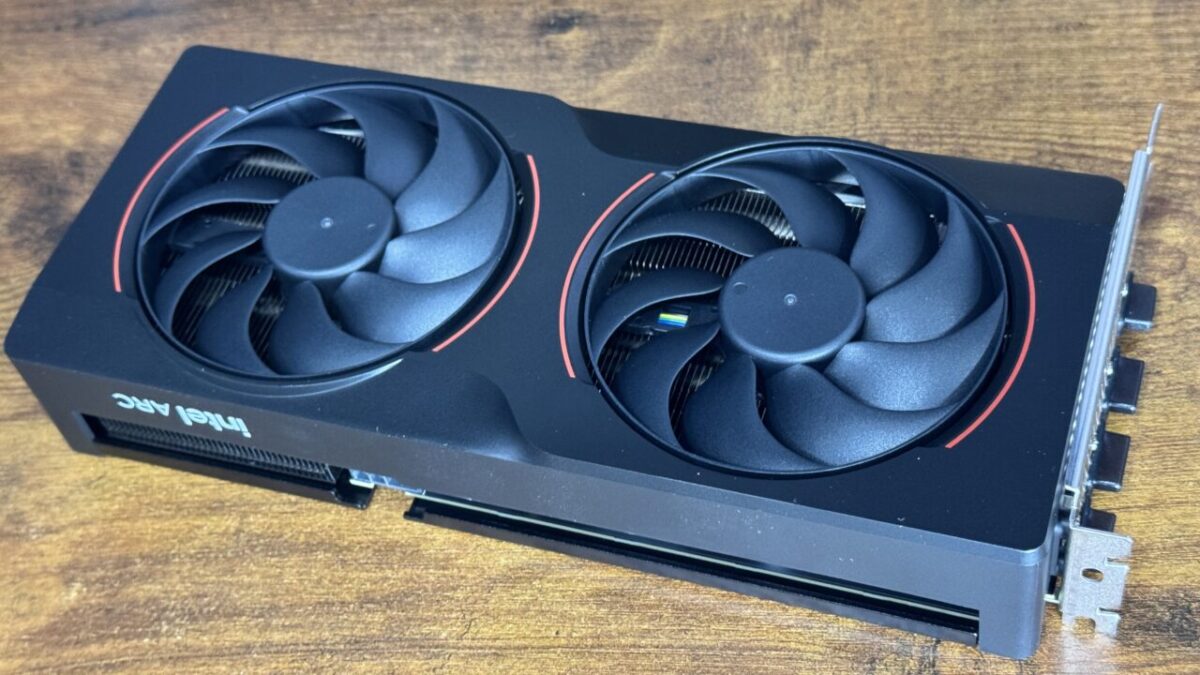
A plain dual-fan card. Nothing unusual about it.
As an Amazon Associate we earn from qualifying purchases.
The first numbers looked wrong
Decode speed (how fast text comes out) on a freshly installed B580:
- nemotron-3-nano:4b … 28.52 tok/s
- phi4-mini … 41.76 tok/s
The RTX 3060 in the same machine managed 90.6 tok/s on the same model. The B580 has 456GB/s of memory bandwidth against the RTX 3060’s 360GB/s. The card with more bandwidth was running at less than a third of the speed. That is not a small gap you shrug off — something was broken.
What I suspected first: card side or software side
Theory 1: the PCIe link had degraded
lspci reported the B580 as PCIe 1.0 x1. For a card rated PCIe 4.0 x8, that alone would explain everything.
It turned out to be a red herring. Intel’s own support documentation states that Arc cards carry an internal PCIe hierarchy, so standard tools always report “Gen1 x1". The real link speed appears on the upstream bridge, and there it was running at PCIe 4.0 x4.
I checked by measurement as well. Transferring 2.61GB to the B580 took 4.87 seconds. At PCIe 1.0 x1 (roughly 250MB/s in practice) the transfer alone would need more than 10.4 seconds. The reported link speed simply was not real.
Theory 2: the CPU is too old
The Ryzen 9 3950X is a Zen 2 part, hardly new. Arc cards require Resizable BAR (a feature that lets the CPU address GPU memory in one large window), and losing it is said to cost up to 24% of performance.
Resizable BAR was already enabled here. Zen 2 with X570 supports it, so the 3950X was not the problem.
Theory 3: the wrong backend
Ollama drives Intel GPUs through Vulkan. I wondered whether Intel’s own SYCL would be faster, but that was wrong too. Measurements collected by the llama.cpp developers show that Vulkan runs about twice as fast as SYCL on the B580. The best path was already in use.
The real cause was the Mesa version
A Phoronix test on Linux contained this line:
A newer kernel contributed almost nothing to Vulkan throughput, but moving to Mesa 26.1 delivered a meaningful speed-up in text generation.
Comparing environments made the difference obvious.
| Phoronix test bench | This machine | |
|---|---|---|
| Kernel | Linux 6.18 | 7.0.0-28 (newer, in fact) |
| Mesa | 26.0-dev | 25.2.8 |
The kernel was plenty new. Only Mesa was a generation behind.
What Mesa actually is
Mesa is the open-source driver stack that runs GPUs on Linux. It is the actual implementation of Vulkan and OpenGL.
The point that matters here: NVIDIA and Intel get their drivers from different places.
| GPU | Driver used on Linux |
|---|---|
| Intel Arc B580 | Mesa’s ANV (the Vulkan driver for Intel) |
| AMD Radeon | Mesa’s RADV |
| NVIDIA GeForce | NVIDIA’s own driver (does not go through Mesa) |
NVIDIA ships its own driver. For Intel and AMD, Mesa is the driver. The Vulkan backend in llama.cpp hands the computation to the GPU as small programs called shaders, and Mesa ANV is what translates and optimises those into machine code for the Intel GPU. Mesa works as a compiler, and how good that compiler is shows up directly as speed.
The B580 arrived at the end of 2024, so optimisations for it landed in Mesa later than the hardware did.
What happened after the update: up to 3.3x faster
I updated Mesa from the kisak-mesa PPA.
sudo add-apt-repository -y ppa:kisak/kisak-mesa
sudo apt update && sudo apt full-upgrade -y
That moves Mesa from 25.2.8 to 26.1.5. It touches only Vulkan and OpenGL for Intel and AMD; NVIDIA’s proprietary driver is untouched. The RTX 3090 in the same machine was unaffected.
Re-measured under identical conditions:
| Model | Mesa 25.2.8 | Mesa 26.1.5 | Speed-up |
|---|---|---|---|
| nemotron-3-nano:4b | 28.52 tok/s | 94.69 tok/s | 3.32x |
| phi4-mini | 41.76 tok/s | 76.96 tok/s | 1.84x |
Decode speed before and after the Mesa update (tok/s, higher is better)
Intel Arc B580 / Ollama 0.30.5 / median of 5 runs each. Measured July 2026.
No settings were changed. Only the driver version.
I got one measurement wrong along the way
The first re-measurement produced 165–171 tok/s, which looked wonderful until I noticed it almost exactly matched an earlier RTX 3090 Vulkan result (167.57 tok/s).
The cause: the step that reserves the RTX 3090’s memory — so the work is forced onto the B580 — had failed. The 3090 was busy with another job using 21GB at the time. I judged the reservation “successful" purely because usage was high. When that other job finished mid-measurement and the 3090 freed up, the model moved there.
“Memory usage is high" does not mean “I reserved it." A basic mix-up. Since then I verify three separate ways:
- Read the output of the reservation step itself and confirm it succeeded
- Confirm no inference process exists on the NVIDIA side
- Confirm the B580’s clock rises while text is being generated
In the verified run, the B580 climbed from 1200MHz to 2850MHz during generation while the RTX 3090 sat at 0% utilisation and 210MHz.
Where the B580 lands after the fix
Same model, other GPUs, all measured on this machine.
| GPU | Backend | nemotron-3-nano:4b |
|---|---|---|
| NVIDIA GeForce RTX 3090 | CUDA | 181.41 tok/s |
| NVIDIA GeForce RTX 3090 | Vulkan | 167.57 tok/s |
| Intel Arc B580 | Vulkan | 94.69 tok/s |
The B580 does not catch an RTX 3090, and it was never going to. But going from “obviously broken" to “roughly half of a 3090" is a different situation entirely — and it cost nothing but a driver update.
What this article cannot tell you
kisak-mesa updates the graphics stack for the whole system. On a machine you use for other things, weigh that carefully. To roll it back: sudo ppa-purge ppa:kisak/kisak-mesa.
These figures are as of July 2026. Mesa’s Intel optimisation work is still ongoing, so the numbers can move again.
Only one card was tested: the Intel Arc B580. Whether other Arc cards, or AMD cards, gain as much is not something I checked.
In summary: check the driver version before you blame the card
- An Intel Arc B580 that felt far too slow for local LLMs was held back by the Mesa version, not the hardware
- Updating Mesa from 25.2.8 to 26.1.5 gave 3.32x on nemotron-3-nano:4b and 1.84x on phi4-mini, with no other changes
lspcireporting “PCIe 1.0 x1" on Arc cards is expected and is not a fault- For Intel and AMD GPUs, Mesa is the driver. On a recent card, an old Mesa costs real speed
- NVIDIA cards are unaffected by a Mesa update — they use their own driver
If you have an Arc card on Linux and the numbers look wrong, check your Mesa version before anything else.
Figures here are from July 2026 on this specific machine (Intel Arc B580, Ollama 0.30.5, Ubuntu). Different models or settings will give different results.
Products in this article
The card used for these measurements.
The card it was compared against.