My Arc B580 Reported PCIe 1.0 x1 — It Was Not Broken | Intel Arc B580 Local LLM Part 2
I put an Intel Arc B580 into a desktop and the speed was clearly off. So I checked lspci, and it reported PCIe 1.0 x1. The card is rated PCIe 4.0 x8. My first thought was that it was faulty, or that I had seated it wrong.
Was the card faulty? Or had I seated it wrong? This article records what I found.
As of July 2026.
The previous article is here

 https://kimono-oyaji.com/arc-b580-mesa-update-en/
- 1. The machine
- 2. Why I am writing up a wrong diagnosis
- 3. What I did: read the link speed at every level
- 4. The result: the top two levels lie, the third tells the truth
- 5. The lesson: never decide from a single reading
- 6. What this article cannot tell you: the range I checked
- 7. How to check PCIe on an Arc card
- 8. References
- 9. Products in this article
The machine
| CPU | Ryzen 9 3950X |
| Motherboard | X570 |
| Memory | 64GB |
| GPU | NVIDIA GeForce RTX 3090, Intel Arc B580 (added for this test) |
| OS | Ubuntu |
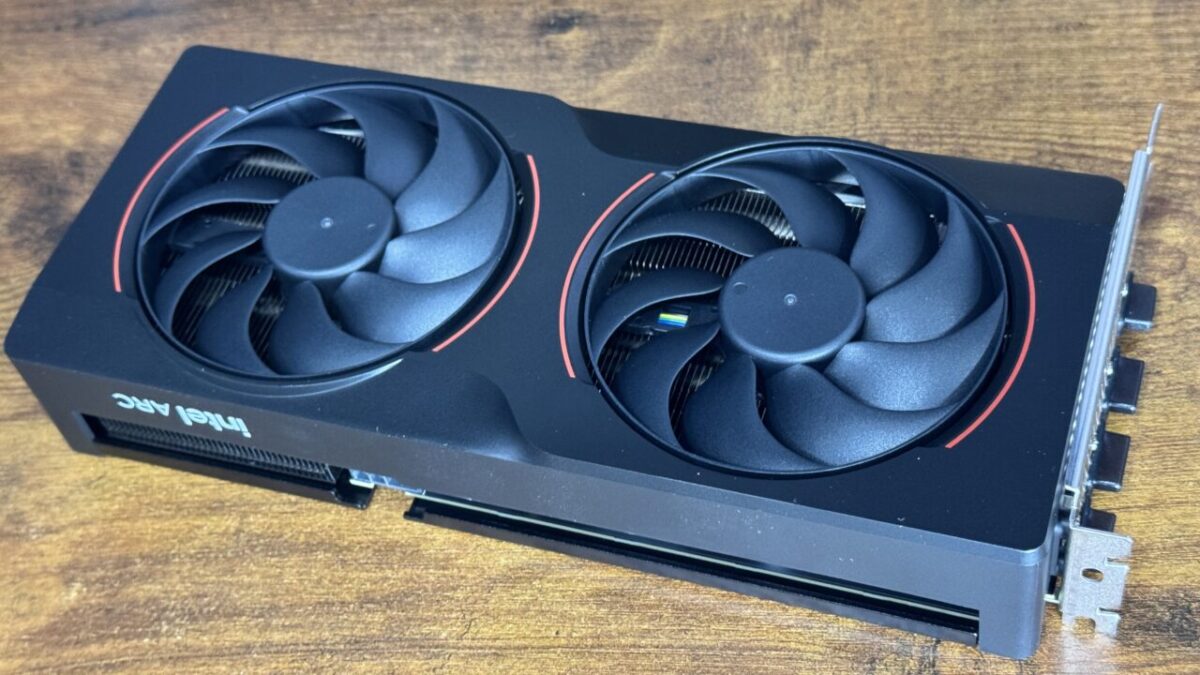
The card: Intel Arc B580 12GB (GDDR6)
As an Amazon Associate we earn from qualifying purchases.
Why I am writing up a wrong diagnosis
In Part 1 I wrote that the B580’s terrible speed came down to the Mesa driver version. Getting there took several wrong turns, and the first one was “the PCIe link has degraded."
I read the sysfs tree (how Linux exposes hardware information) node by node. Along the way I saw the lspci output and concluded the link was bad. That conclusion was wrong. Here is the procedure that would have caught it, with the actual values.
What I did: read the link speed at every level
A PCIe link speed is not a single property of the GPU. Every node along the path has its own. Between the CPU root port and the card there are several bridges.
Linux exposes each node’s link speed in sysfs, so I walked from the GPU endpoint down to the root, one step at a time.
for d in $(PCI addresses along the path); do
  cat /sys/bus/pci/devices/$d/current_link_speed
  cat /sys/bus/pci/devices/$d/current_link_width
done
The result: the top two levels lie, the third tells the truth
Six links between the B580 and the CPU root port, as measured on this machine.
What lspci surfaces is the topmost node — the GPU endpoint at 05:00.0. That reads “2.5GT/s x1", which is PCIe 1.0 x1. One level down, 03:00.0 reads 16.0GT/s x4, which is PCIe 4.0 x4 (16.0GT/s being the per-lane rate for PCIe 4.0).
The real link was PCIe 4.0 x4 the whole way. Every node down to the root port agrees, so nothing along the path had degraded.
Intel documents this as expected behaviour
This turns out to be written down in Intel’s own support article.
Intel Arc graphics cards contain a hierarchy of PCIe nodes inside the card. The upper nodes in that hierarchy unfortunately report link attributes incorrectly, but Intel guarantees that the lowest bridge reports the correct values. The upper nodes will always display Gen1 and x1 lanes rather than the product’s actual values.
— Intel support article 000094587
“Will always display Gen1 and x1." So seeing Gen1 x1 from lspci on a B580 is normal, and treating it as a fault — which is exactly what I did — is the mistake.
The lesson: never decide from a single reading
Do not draw a conclusion from one displayed value. With new hardware in particular, tools may not know a product’s quirks and will show you the number at face value.
Keeping an independent way to disprove yourself avoids this class of error. Separately from the reported link speed, I checked with an actual transfer.
Moving 2.61GB of model data onto the B580 took 4.87 seconds — roughly 0.54GB/s in practice. If the link really were PCIe 1.0 x1 (about 0.25GB/s in practice), that transfer alone would need more than 10.4 seconds. 4.87 seconds is physically impossible at Gen1 x1. That settled it without ever needing an accurate link-speed reading.
This kind of “disproof from a lower bound" works even when you cannot measure the value precisely. When you doubt a reading, look for one event that could never happen if the reading were true.
What this article cannot tell you: the range I checked
I checked one machine: an Intel Arc B580 in an X570 board. The values are as of July 2026, and I did not verify that other Arc cards or other boards read the same way.
I did not fix the reading. What this article establishes is where to look for the true value. The reported figure stays at Gen1 x1, which is by design.
Windows was not tested. Every step here assumes the Linux sysfs tree.
How to check PCIe on an Arc card
Do not take the lspci figure (the GPU endpoint) at face value. Look at the bridge one level below. On Linux you can walk the path in sysfs.
# find the card's PCI address (e.g. 05:00.0)
lspci | grep -i arc

# read the link speed of each node along that path
cat /sys/bus/pci/devices/0000:03:00.0/current_link_speed
cat /sys/bus/pci/devices/0000:03:00.0/current_link_width
If the endpoint says Gen1 x1 but the lower bridge reads what you expect (16.0GT/s x4, for instance), the card is fine. Only if the lower levels are slow too is there something to investigate.
Other Arc owners have reported the same scare — a brand-new card showing Gen1 x1. It seems to be a common stumble for anyone using Arc for the first time. Values here are from this machine (B580 on an X570 board) as of July 2026.
References
Products in this article
The card used here.